Loading
Get Ca Calgreen Installation Certificate Residential Mandatory Measures (rmm) 2011-2026
How it works
-

Open form follow the instructions
-

Easily sign the form with your finger
-

Send filled & signed form or save
How to fill out the CA CALGreen Installation Certificate Residential Mandatory Measures (RMM) online
Filling out the CA CALGreen Installation Certificate Residential Mandatory Measures (RMM) is essential for compliance with California's building codes. This guide offers clear, step-by-step instructions on how to accurately complete the form online.
Follow the steps to fill out the form effectively.
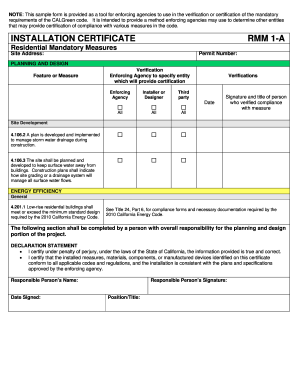
- Click ‘Get Form’ button to access the CA CALGreen Installation Certificate Residential Mandatory Measures (RMM) online and open it in your chosen editor.
- Enter the site address in the designated field. Ensure the address is accurate to avoid compliance issues.
- In the planning and design section, list features and measures along with the verification entity. Specify the enforcing agency responsible for certification.
- For each feature or measure, provide details regarding the installer or designer, including names and signatures of responsible parties.
- Complete the declaration statement affirming the truth of the information provided and compliance with relevant codes. Sign and date the document.
- Review all entries for completeness and accuracy. Once finalized, you may save changes, download, print, or share the form as needed.
Begin filling out your CA CALGreen Installation Certificate Residential Mandatory Measures (RMM) online today.
Related links form
After an individual has passed away, the executor who is the person or people who have been appointed in the will to administer the estate is the only person entitled to see the will and read its contents.