Loading
Get Cuny Travel Request Form 2012-2026
How it works
-

Open form follow the instructions
-

Easily sign the form with your finger
-

Send filled & signed form or save
How to fill out the CUNY Travel Request Form online
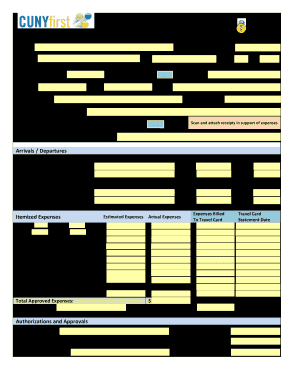
Filling out the CUNY Travel Request Form is an important step for users seeking approval for travel-related expenses. This comprehensive guide will walk you through each section of the form, ensuring that you provide all necessary information accurately and efficiently.
Follow the steps to complete the travel request form online successfully.
- Press the ‘Get Form’ button to obtain the travel request form and open it in your preferred online editor.
- Enter your full name in the 'Name' field. Make sure to provide your complete legal name.
- In the 'CUNYfirst EMPLID' section, input your unique employee identification number assigned by CUNY.
- Fill in your current address, including city, state, and zip code in the respective fields.
- Indicate your department number in the designated area.
- Answer the question regarding PSC membership by selecting Yes or No.
- If applicable, insert your FMS number for tracking purposes.
- In the phone number field, provide a reliable contact number where you can be reached.
- Fill in your fax number if relevant; otherwise, this can be left blank.
- Enter your email address accurately for confirmation and communication regarding your travel request.
- Clearly state the purpose of your trip in the designated field.
- If you have a travel card, enter the card number in the appropriate section.
- For meetings or conferences, specify the name in the provided field.
- Indicate whether you are a member of the sponsoring organization by selecting Yes or No.
- If applicable, provide details on your participation in the organization, including purpose and capacity.
- In the 'Arrivals / Departures' section, fill out the destination and details of your travel itinerary, including cities, dates, and times for both departure and arrival.
- Complete the itemized expenses section, providing estimated and actual costs for lodging, meals, registration, transportation, and any miscellaneous expenses.
- Ensure all amounts are totaled correctly and indicate any necessary adjustments.
- Fill out the voucher number if applicable.
- In the 'Expenses Billed to Travel Card' section, enter the amounts and statement dates as needed.
- Clearly state the amount owed to CUNY if applicable.
- Provide the name of your supervisor for authorizations, dates for authorizations, and expense approval.
- Review all information for accuracy and completeness.
- Once completed, save any changes, and choose to download, print, or share the form as required.
Take the next step and fill out your CUNY Travel Request Form online today!
Restrictive covenants usually run with the land which means they bind anyone who becomes the legal owner. So for example if the land is subject to a restrictive covenant of “not to build a structure on the property”, then anyone who buys the property must comply with this restriction.