Loading
Get Au Onepath L0158 2015
How it works
-

Open form follow the instructions
-

Easily sign the form with your finger
-

Send filled & signed form or save
How to fill out the AU OnePath L0158 online
Filling out the AU OnePath L0158 Withdrawal Form online may seem daunting, but our guide will walk you through each step clearly and effectively. This comprehensive guide aims to simplify the process for users at all levels of experience.
Follow the steps to complete the form accurately.
- Press the ‘Get Form’ button to access the form and open it in your browser.
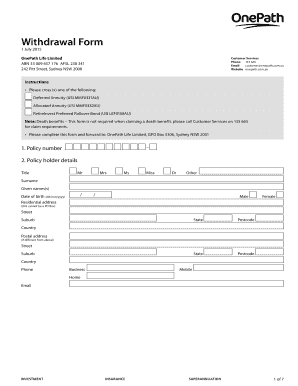
- Review the instructions provided at the beginning of the form. You will need to select one of the options: Deferred Annuity, Allocated Annuity, or RetireInvest Preferred Rollover Bond. Mark your selection clearly.
- Fill in your policy number in the specified field. Ensure that this is accurate, as it is essential for processing your withdrawal.
- Complete your personal details in the policyholder section. This includes entering your title, surname, given names, date of birth, and contact information. Make sure to provide your residential address without using a PO Box.
- In the rollover details section, indicate whether you are processing a total or partial rollover. If it is partial, specify the amount you wish to roll over. Enter the name of the rollover institution and its USI along with the policy/reference number.
- For cash payment details, provide the amount you wish to withdraw. If it is a partial cash payment, clarify whether it is before or after tax.
- Complete the direct credit facility section with your financial institution's name, BSB, and account number if you prefer a direct deposit of your funds.
- In the tax file number section, provide your TFN if applicable. If you choose not to provide it, understand the potential tax implications outlined in the form.
- If your policy document is lost and you cannot submit it, fill out the statutory declaration section by providing required details. Ensure to follow the instructions for witnessing the declaration.
- Read and complete the declaration and signature section. By signing, you confirm the accuracy of the information provided and consent to the use of your personal data as described in the privacy policy.
- Once all sections are completed, you can save changes, download, print, or share the form as needed.
Complete your AU OnePath L0158 Withdrawal Form online today.
Get form
Experience a faster way to fill out and sign forms on the web. Access the most extensive library of templates available.
Tax-deferred annuities are popular for a good reason—they offer massive benefits to retirees. Annuities can help you grow your retirement savings. They're tax-deferred, so you only pay taxes when you withdraw funds. Plus, an annuity can provide you with guaranteed lifetime income.
Get This Form Now!
Use professional pre-built templates to fill in and sign documents online faster. Get access to thousands of forms.
Industry-leading security and compliance
US Legal Forms protects your data by complying with industry-specific security standards.
-
In businnes since 199725+ years providing professional legal documents.
-
Accredited businessGuarantees that a business meets BBB accreditation standards in the US and Canada.
-
Secured by BraintreeValidated Level 1 PCI DSS compliant payment gateway that accepts most major credit and debit card brands from across the globe.