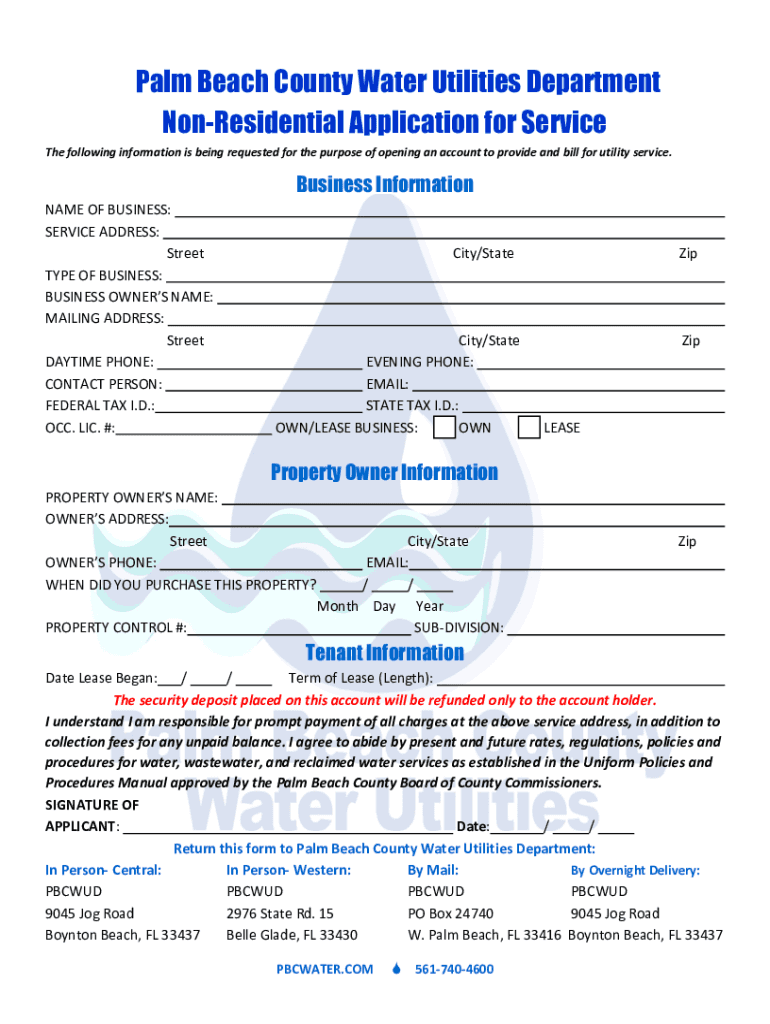
Palm Beach County Water Utilities Department Nonresidential Application for Service The following information is being requested for the purpose of opening an account to provide and bill for utility.
Loading

Open form follow the instructions

Easily sign the form with your finger

Send filled & signed form or save
How to fill out the FL Non-Residential Application For Service - Palm Beach County online
Filling out the FL Non-Residential Application for Service is an essential step for businesses seeking utility services in Palm Beach County. This guide provides clear, step-by-step instructions to help you complete the application online with ease.
Follow the steps to fill out your application accurately and efficiently.
- Click ‘Get Form’ button to access the application and open it in your editing platform.
- Begin by entering your business information. Fill in the name of your business, the service address, and the type of business you are operating.
- Include the occupational license number if applicable, as well as your state tax identification number.
- In the property owner information section, provide the name and address of the property owner, along with their phone number.
- If applicable, fill out tenant information, including the date the lease began, the term of the lease, and any relevant details regarding the security deposit.
- Once all fields are filled out, review the form for accuracy.
Complete your application online today to ensure timely utility service for your business.
Experience a faster way to fill out and sign forms on the web. Access the most extensive library of templates available.
Related content
Non- applicants, or persons applying only forE mergency Medicaid, Refugee Cash Assistance...
The College application includes a Residency Declaration which must be completed to...
The information on this application will only be used to assess your eligibility for...
Get answers to your most pressing questions about US Legal Forms API.
How do I turn on the water in Hillsborough County?
You can request to start, stop or move your water service the following ways: Phone our Customer Service Center at (813) 307-1000. In person (M-F) 8AM to 5PM. Brandon Support Operations Complex (BSOC) 332 N. Falkenburg Road. Brandon, FL 33619. Online. By completing the request form.
How do you set up water in Boca Raton?
How do I start a water service in Boca Raton? To sign up for new residential water service, please call 561-740-4600 and select option 5.
How do I pay my water bill in Palm Beach County?
0:00 1:24 How To Pay Your #PalmBeachCounty Water Utility ... YouTube Start of suggested clip End of suggested clip Video. Once you log in navigate to the menu on the left side of the page select make a payment. YouMoreVideo. Once you log in navigate to the menu on the left side of the page select make a payment. You can choose from two options pay using a debit credit. Card. Or pay using a bank account.
How do I start a water service in West Palm Beach?
To sign up for new residential water service, please call 561-740-4600 and select option 4.
How to set up water utility palm beach county?
Customers may apply for new service or move service by calling our Customer Care Service Center at 561-740-4600 or 877-477-1305 or by coming in to one of our Customer Service Centers.
Use professional pre-built templates to fill in and sign documents online faster. Get access to thousands of forms.
If you believe that this page should be taken down, please follow our DMCA take down process here.