Loading
Get Scscu-290 2019-2026
How it works
-

Open form follow the instructions
-

Easily sign the form with your finger
-

Send filled & signed form or save
How to fill out the SCSCU-290 online
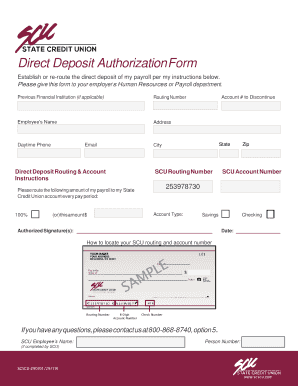
The SCSCU-290 is the Direct Deposit Authorization Form that allows users to establish or reroute their payroll deposits. This guide provides clear instructions to help you efficiently complete the form online.
Follow the steps to complete the SCSCU-290 form accurately.
- Click ‘Get Form’ button to obtain the form and open it in the editor.
- Fill in your personal information, including your name, address, daytime phone number, email, state, city, and zip code. Ensure all details are accurate for timely processing.
- Complete the 'Previous Financial Institution' section if applicable. Provide the routing number and account number of the previous institution.
- In the 'Direct Deposit Routing & Account Instructions' section, enter the SCU routing number and account type (savings or checking). Specify the amount to be deposited; you can choose to deposit 100% of your payroll.
- If you wish to discontinue a previous account, enter the account number to be discontinued.
- Sign the form with your authorized signature and include the date of signing. This step is essential for validating your request.
- Once all fields are completed, review the form to ensure accuracy. You may then save changes, download the form, print it, or share it as needed.
Complete your SCSCU-290 form online today for seamless payroll processing.
A parent subject to a child support order may request a review of the ordered child sup- port amounts every three years by contacting the Office of the Attorney General.