Loading
Get Be Partena Professional Werknemersfiche 2022-2026
How it works
-

Open form follow the instructions
-

Easily sign the form with your finger
-

Send filled & signed form or save
How to fill out the BE Partena Professional Werknemersfiche online
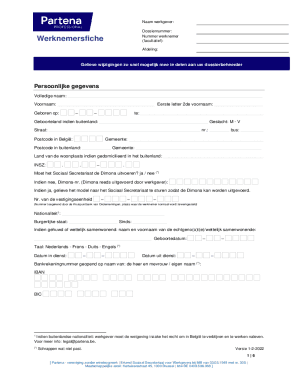
The BE Partena Professional Werknemersfiche is a crucial document for managing employment details in Belgium. This guide provides clear and supportive instructions on how to complete this form online, ensuring users can accurately provide necessary information.
Follow the steps to accurately fill out your BE Partena Professional Werknemersfiche.
- Press the ‘Get Form’ button to access the BE Partena Professional Werknemersfiche form and open it in the provided interface.
- Begin with entering the employer's name and dossier number at the top of the form. The employee number can be filled in if applicable.
- In the personal information section, fill out the employee's full name, first name, middle initial, and birth date using the specified format.
- Complete the address fields, including street, number, postal code, municipality, and country details if applicable. Pay attention to the section asking for nationality and gender.
- Provide information regarding the Dimona declaration by selecting 'yes' or 'no' and fill in other related fields as necessary.
- Document the employee's marital status and name of the partner if married or cohabiting. Indicate the preferred language for communication.
- Fill in the dates of employment and note the bank account details, ensuring to state the account holder's name accurately.
- For family allowances, complete the required fields concerning dependents and any applicable special statuses of children.
- Proceed to the employment contract section. Specify the type of agreement and duration, marking relevant options.
- In the function and salary details, outline the position, salary structure, and any other benefits that apply.
- Complete the sections regarding additional benefits and funeral contributions, providing all relevant details.
- Once all fields have been filled out accurately, review the information for completeness before proceeding to save, download, or print the document.
Start filling out your BE Partena Professional Werknemersfiche online to ensure all employment information is correctly submitted.