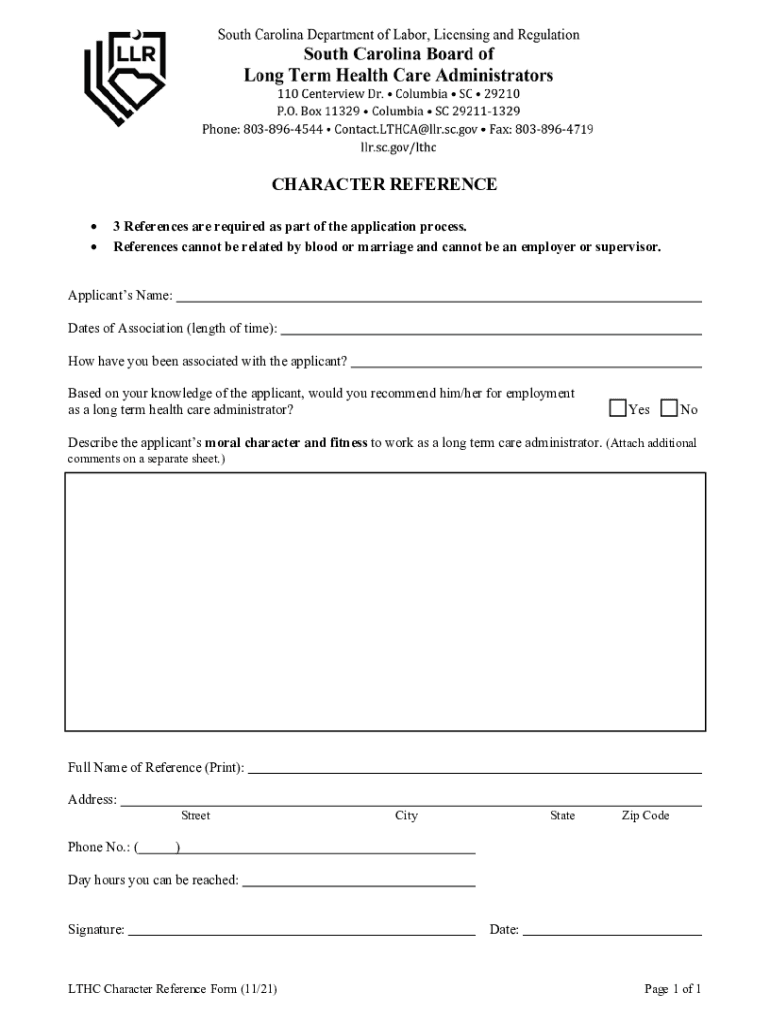
Ou must complete either the Online Application, #2; or scroll to Paper Applications and select the appropriate application. CHARACTER REFERENCE 3 References are required as part of the application process. References cannot be related by blood or marriage and cannot be an employer or supervisor. Applicant s Name: Dates of Association (length of time): How have you been associated with the applicant? Based on your knowledge of the applicant, would you recommend him/her for employmen.
Loading

Open form follow the instructions

Easily sign the form with your finger

Send filled & signed form or save
How to fill out the SC Character Reference Form online
Filling out the SC Character Reference Form can be a straightforward process if you follow these guidelines. This guide will provide you with step-by-step instructions to help you accurately complete the form online.
Follow the steps to complete your character reference form
- Click 'Get Form' button to obtain the form and open it for editing.
- Begin by entering the applicant’s name in the designated field. Ensure that the name is spelled correctly, as this information is crucial for identification.
- Next, specify the dates of your association with the applicant. This should reflect the length of time you have known the applicant. Be honest and accurate in this section.
- Then, describe how you have been associated with the applicant. This could include your relationship or context in which you have interacted, such as a colleague or volunteer.
- In the next section, indicate whether you would recommend the applicant for employment as a long-term care administrator by selecting 'Yes' or 'No'.
- Provide a description of the applicant’s moral character and fitness for the role. You may attach additional comments on a separate sheet if necessary, so be thorough in your evaluation.
- Fill in your full name, address, and phone number in the respective fields to ensure that your contact information is correctly recorded.
- Specify the times during which you can be reached by noting the day hours in the appropriate section.
- Review all entered information for accuracy and clarity before signing the form. Your signature confirms the validity of your statements.
- Finally, select the option to save changes, download, print, or share the completed form as needed.
Ensure the accuracy of your information and complete your documents online today.
Experience a faster way to fill out and sign forms on the web. Access the most extensive library of templates available.
Related content
Below are the links to the forms for the applicable applications. ... NHA Employment...
The application file is not considered complete until a Christian Character Reference form...
Simplified Chinese characters (简化字; jiǎnhuàzì) are standardized Chinese...
Use professional pre-built templates to fill in and sign documents online faster. Get access to thousands of forms.
If you believe that this page should be taken down, please follow our DMCA take down process here.