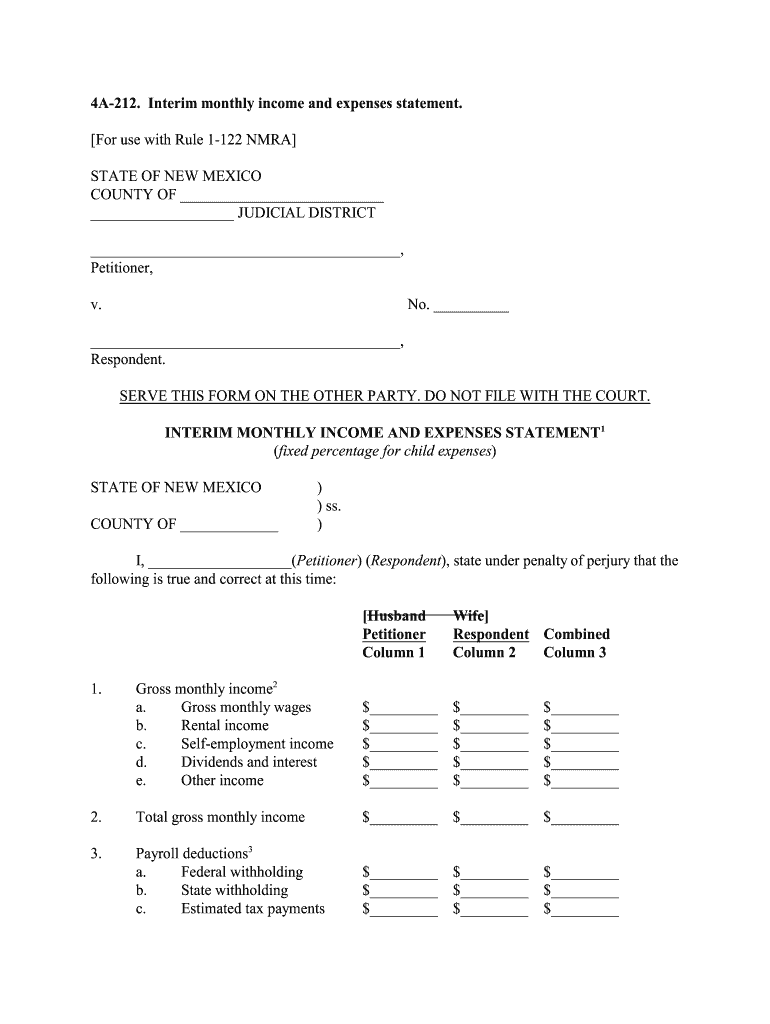
, Petitioner, v. No. , Respondent. SERVE THIS FORM ON THE OTHER PARTY. DO NOT FILE WITH THE COURT. INTERIM MONTHLY INCOME AND EXPENSES STATEMENT1 (fixed percentage for child expenses) STATE OF NEW MEXICO COUNTY OF ) ) ss. ) I, (Petitioner) (Respondent), state under penalty of perjury that the following is true and correct at this time: Husband Petitioner Column 1 Wife Respondent Co.

Open form follow the instructions

Easily sign the form with your finger

Send filled & signed form or save
How to fill out the NM 4A-212 online
Filling out the NM 4A-212 form online can be a straightforward process when you have the right guidance. This document serves as an interim monthly income and expenses statement in the state of New Mexico, and understanding its components will help you provide accurate information.
Follow the steps to complete the NM 4A-212 form online.
- Click ‘Get Form’ button to access the NM 4A-212 form and open it in your preferred online editor.
- Begin by entering the county and judicial district at the top of the form. Indicate whether you are the petitioner or respondent by filling in your name in the provided field.
- Proceed to Section 1 where you will list your gross monthly income. Fill in the amounts for each income source, including wages, rental income, self-employment income, dividends, and any other income.
- Calculate the total gross monthly income by summing the amounts entered in Section 1. Record this total in the designated space.
- Move to Section 3 to outline your payroll deductions. Enter the relevant amounts for federal and state withholding, estimated tax payments, and any other deductions, including insurance and retirement contributions.
- Add up the payroll deductions to find the total, which should be recorded in the corresponding field.
- In Section 5, determine your net monthly income by subtracting the total payroll deductions from the total gross monthly income.
- Next, document your monthly fixed expenses in Section 6. This includes all regularly incurred costs such as residence, utilities, car payments, and various insurance premiums.
- Calculate the total monthly fixed expenses by adding the figures recorded in Section 6 and write this total in the designated spot.
- In Section 8, compute your net spendable income by subtracting your total monthly fixed expenses from your net monthly income.
- Proceed to Section 9 to calculate half of the combined net spendable income, which will be reported in the applicable column.
- Continue through Sections 10 and 11 to document the amount transferred or received and any child support adjustments, as needed.
- Finally, sum up the total to be transferred in Section 12 before reviewing the form for accuracy.
- Once all sections are completed, save your changes, and choose to download, print, or share the form according to your needs.
Start completing your NM 4A-212 form online today for a smooth filing experience.
Experience a faster way to fill out and sign forms on the web. Access the most extensive library of templates available.
Related content
2014. Instructions for Form 1065. U.S. Return of Partnership Income ... New Mexico, North...
Feb 23, 2023 — Repeals Sec. 41-4A-4 of the act, which currently absolutely bars that...
Discharge water can be as hot as 212 °F (100 °C) and can damage the drain plumbing....
Use professional pre-built templates to fill in and sign documents online faster. Get access to thousands of forms.
If you believe that this page should be taken down, please follow our DMCA take down process here.