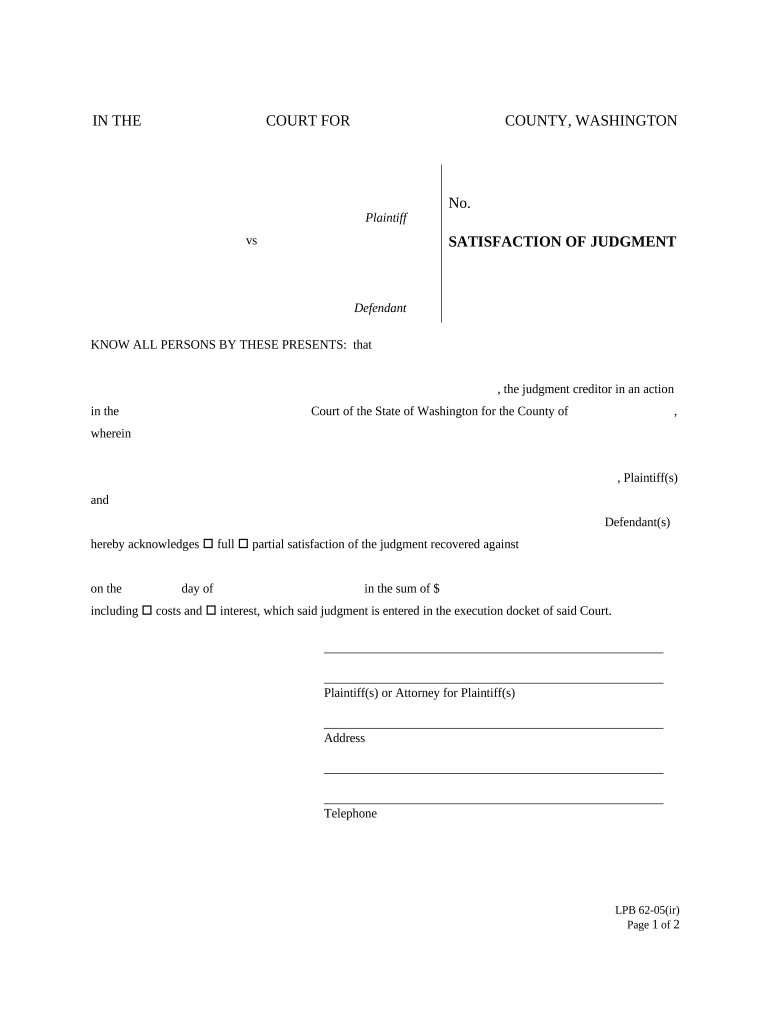
IN THE COURT FOR COUNTY, WASHINGTONPlaintiff vsDefendantNo. SATISFACTION OF JUDGMENTKNOW ALL PERSONS BY THESE PRESENTS: that, the judgment creditor in an action in the Court of the State of Washington.
Loading

Open form follow the instructions

Easily sign the form with your finger

Send filled & signed form or save
How to fill out the WA-1053-08 online
Filling out the WA-1053-08 form online can be a straightforward process when approached step by step. This guide is designed to assist you through each section and field of the form to ensure accurate completion.
Follow the steps to fill out the WA-1053-08 online accurately.
- Click the ‘Get Form’ button to obtain the WA-1053-08 form and open it in your preferred online editor.
- Begin by filling in the information of the county where the judgment was granted. Ensure that this information is accurate to avoid any processing issues.
- Enter the name of the plaintiff and defendant in the appropriate fields. Make sure to fill in all required names to reflect the proper parties in the action.
- Indicate whether you are acknowledging full or partial satisfaction of the judgment by checking the appropriate box next to 'full' or 'partial'. This is a crucial declaration regarding the status of the judgment.
- In the judgment date field, record the exact date when the judgment was rendered. This information provides a clear timeline of the judicial proceedings.
- Specify the total amount of the judgment that is satisfied, including costs and interest, as applicable. Provide this information clearly in the designated box.
- Complete the fields for the address and telephone number of the plaintiff or their attorney to ensure they can be contacted if necessary.
- Proceed to the notary section. You will need a notary public to witness the signing of the form and verify the identities of the signers.
- Once all fields are completed accurately, review the form for any mistakes before finalizing it. This ensures that all provided information is correct.
- After confirming that the form is complete, you can save your changes, download the document, print it for physical submission, or share it as required.
Start completing your WA-1053-08 form online today for a smoother filing experience.
Experience a faster way to fill out and sign forms on the web. Access the most extensive library of templates available.
Related content
HB 1053 - 2007-08. Increasing the availability of alternative fuels at retail fuel...
by E Edition · 2011 · Cited by 16050 — meetings (on September 26, 2008, in Washington...
Form IT-203. Reminder: To claim a tax credit (with the exception of the household credit...
Use professional pre-built templates to fill in and sign documents online faster. Get access to thousands of forms.
If you believe that this page should be taken down, please follow our DMCA take down process here.