Loading
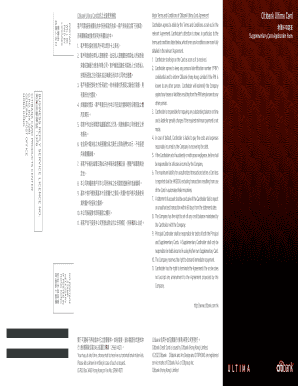
Get Ultima Suppcard Form Oct12 V4 - Citibank
How it works
-

Open form follow the instructions
-

Easily sign the form with your finger
-

Send filled & signed form or save
How to use or fill out the Ultima SuppCard Form Oct12 V4 - Citibank online
Filling out the Ultima SuppCard Form Oct12 V4 for Citibank can be a straightforward process when guided correctly. This guide provides a clear and structured approach to help users complete the form accurately online.
Follow the steps to fill out the Ultima SuppCard Form effectively.
- Press the ‘Get Form’ button to access the form and open it in your preferred editing tool.
- Begin by entering the name of the principal cardholder in the designated field at the top of the form.
- Provide the principal cardholder's identification details including their HKID Card or Passport number. Ensure accuracy to avoid delays.
- Fill in the contact information, including home, office, and mobile phone numbers. Make sure to include at least one valid mobile number for future communications.
- For the supplementary card applicant, select the appropriate title (Mr, Ms, Mrs, etc.) and enter their full name as shown on their identification document.
- Input the supplementary applicant’s identification details, ensuring to attach a copy of the HKID Card or Passport as specified.
- Complete the credit limit section according to your needs, referencing the principal cardholder’s existing credit limits as necessary.
- Review the terms and conditions by reading through the provided sections. Confirm understanding by signing and dating the document where required.
- Finally, ensure that both the principal cardholder and the supplementary card applicant have signed the form. After filling out all necessary fields, return to save your changes, download, print, or share the form as needed.
Complete your application for the Citibank Ultima SuppCard online and enjoy the benefits today.
Steps to activate a new Credit Card or Debit Card Tap the Profile menu → Under 'Cards & accounts' tap on the card you would like to activate. Tap 'Activate now'. Enter the One Time Pin (OTP) of Citi Mobile PIN to proceed. Enter the CVV of your new card. Tap Activate.
Industry-leading security and compliance
US Legal Forms protects your data by complying with industry-specific security standards.
-
In businnes since 199725+ years providing professional legal documents.
-
Accredited businessGuarantees that a business meets BBB accreditation standards in the US and Canada.
-
Secured by BraintreeValidated Level 1 PCI DSS compliant payment gateway that accepts most major credit and debit card brands from across the globe.