Loading
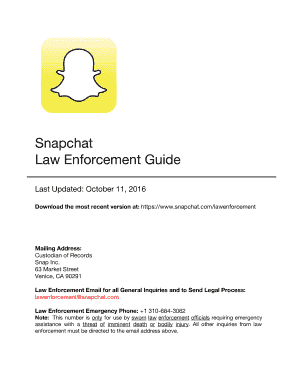
Get Snap Inc Law Enforcement Guide 2016
How it works
-

Open form follow the instructions
-

Easily sign the form with your finger
-

Send filled & signed form or save
How to fill out the Snap Inc Law Enforcement Guide online
This guide aims to provide users with clear instructions on how to accurately complete the Snap Inc Law Enforcement Guide online. The guide is designed for law enforcement professionals needing to submit legal requests regarding user accounts on Snapchat.
Follow the steps to successfully complete the form.
- Press the ‘Get Form’ button to access the law enforcement guide in an editable format.
- Review the introduction section to understand the purpose of the guide and the types of requests you can make as a law enforcement official.
- Identify the Snapchat username associated with the user account you are requesting information about, ensuring you gather all necessary details outlined in Section IV.
- Fill in the basic subscriber information field with the required data, such as email address and phone number, based on what the user has provided.
- Select the type of records you are seeking (e.g., logs of previous Snaps, content, etc.) and specify your request respecting the legal processes outlined in Section V.
- If applicable, prepare a preservation request letter, ensuring it is on law enforcement letterhead, dated, and signed, as described in Section VI.
- For emergency requests, complete the Emergency Disclosure Form, ensuring it includes detailed information about the emergency situation as outlined in Section VII.
- Review all sections of your completed form for accuracy and completeness before proceeding.
- Once finalized, save the changes you made. You may then choose to download, print, or share the completed form as needed.
Complete your legal requests online using the Snap Inc Law Enforcement Guide.
Get form
Experience a faster way to fill out and sign forms on the web. Access the most extensive library of templates available.
After saving a Snap, the Snap will appear in the chat as Chat Media. Snapchatters can also delete a Snap in Chat by pressing and holding on it, then tapping 'Delete. ' When a Snap is deleted from Chat, we will set it to delete from our servers. We will also make our best attempt to remove it from your friends' devices.
Get This Form Now!
Use professional pre-built templates to fill in and sign documents online faster. Get access to thousands of forms.