Loading
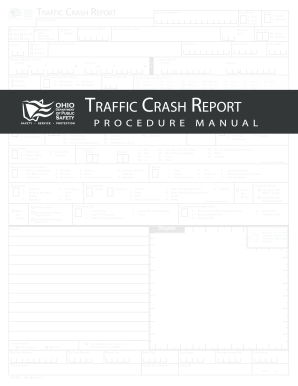
Get Oh Hsy 7010 2012
How it works
-

Open form follow the instructions
-

Easily sign the form with your finger
-

Send filled & signed form or save
How to use or fill out the OH HSY 7010 online
The OH HSY 7010 form is essential for reporting traffic crashes in Ohio. This guide provides step-by-step instructions for effectively completing the form online, ensuring accurate and detailed submissions.
Follow the steps to complete the OH HSY 7010 online.
- Click the ‘Get Form’ button to obtain the OH HSY 7010 form and open it in the editor.
- Enter the Local Report Number in the designated field. This number should be unique and recorded on every page of the crash report.
- Indicate the Crash Severity by selecting the appropriate option from the provided choices: 1 for fatal, 2 for injury, and 3 for property damage only.
- Fill out the Hit/Skip section by marking whether the crash is solved or unsolved based on the information available.
- Complete the Local Information section with relevant details, including whether any photos were taken at the scene.
- Specify if the crash occurred under a state reportable dollar amount and if it was on private property by checking the appropriate boxes.
- Provide the Reporting Agency NCIC, ensure it is five characters long, and that you drop the 'OH' from the beginning and the last two digits.
- Fill in the name of the Reporting Agency responsible for completing the report without using abbreviations.
- Record the Number of Units involved in the crash, including all motor vehicles and non-motorists.
- In the Unit in Error field, identify which unit had the most causative bearing on the crash using the applicable unit number.
- Enter details regarding the County where the crash occurred, abiding by the two-digit county code.
- Complete the City, Village, or Township section based on the location of the first event in the sequence of events.
- Specify the Crash Date in the MMDDYYYY format and the exact Time of Crash using military time.
- Enter the Day of Week when the crash occurred and complete the Latitude/Longitude fields using GPS coordinates.
- Complete the Roadway Division and indicate if the roadway is divided or undivided.
- Once all fields are completed, you can save changes, download, print, or share the OH HSY 7010 form depending on the available options.
Complete the OH HSY 7010 form online to ensure effective reporting of traffic crashes.
Get form
Experience a faster way to fill out and sign forms on the web. Access the most extensive library of templates available.
If you fail to report an accident within 24 hours in Ohio, you may face penalties, including fines or complications with insurance claims. It's essential to report accidents promptly to ensure proper documentation and processing. You can rely on resources like US Legal Forms to understand your obligations and ensure you meet all reporting requirements regarding the OH HSY 7010, helping you avoid potential issues.
Get This Form Now!
Use professional pre-built templates to fill in and sign documents online faster. Get access to thousands of forms.