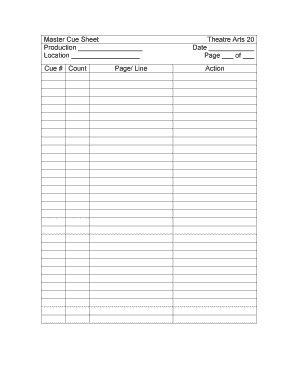
Ge/ Line Theatre Arts 20 Date Page of Action.

How it works
  • Open form

    Open form follow the instructions

  • Easily sign form

    Easily sign the form with your finger

  • Share form

    Send filled & signed form or save

How to fill out the Master Cue Sheet Theatre Arts 20 Production Date Location - Spiritsd online

Filling out the Master Cue Sheet Theatre Arts 20 is essential for organizing and executing a smooth production. This guide provides a step-by-step approach to ensure you accurately complete the form and include all necessary information.

Follow the steps to successfully complete the cue sheet.

  1. Click ‘Get Form’ button to access the cue sheet and open it in an online editor.
  2. Begin by entering the production name in the designated field labeled 'Production'. This should reflect the title of your theatre production accurately.
  3. Next, fill in the 'Location' field with the venue where the production will take place. It's important to be specific to avoid confusion.
  4. Proceed to the 'Cue #' section. Here, list out the cue numbers as they relate to your production. It is essential to keep track of cues for seamless transitions.
  5. In the 'Page/Line' fields, note the corresponding pages and lines that each cue references. This detail helps in identifying exact points of action.
  6. For the 'Theatre Arts 20' section, confirm that this label reflects the course or organization under which the production is created.
  7. Indicate the 'Date' of the production in the appropriate field, ensuring that it conforms to the event schedule.
  8. Complete the 'Page ___ of ___' section by noting the current page number and total number of pages in the cue sheet.
  9. Lastly, in the 'Action' field, describe the specific action for each cue. Be concise but thorough to ensure clarity for all involved in the production.
  10. Once all fields have been filled out completely, you can choose to save changes, download, print, or share the finalized cue sheet as needed.

Start filling out your documents online today for an organized production.

Get form

Experience a faster way to fill out and sign forms on the web. Access the most extensive library of templates available.

Related content

This guide to teaching art in the elementary...

by M Young · 1973 — S.C.. PUB DATE. 73. NOTE. 145p. EDRS PRICE.

Learn more
PRODUCTION HANDBOOK

We prepare our students to be active artists and scholars in community, drawing from the...

Learn more
Linear PCM Recorder

Audio file formats you can record or play on the PCM-D100................11 ... 20...

Learn more
Questions & Answers

Get answers to your most pressing questions about US Legal Forms API.

Contact support

What is a cue list in Theatre?

A cue sheet is a form usually generated by the deputy stage manager or design department head that indicates information about the cue including execution, timing, sequence, intensity (for lights), and volume (for sound).

The Master Cue Sheet is the one-stop-shop spreadsheet to log every single cue in your show. From sound, lighting, follow spots, set movements, and more - the Master Cue Sheet is how the document the Stage Manager tracks every single cue in the show.

A cue sheet is a document created by stage managers to display the sequence of technical cues for a show, whether that's lighting, sound or graphics, throughout the event's duration. It helps to keep track of all the cues and allows AV teams to understand and follow through.

CUE-TO-CUE: A technical rehearsal that focuses on getting the physical production caught up with the acting by skipping over scenes or dialogue that have no technical cues in them in order to run the next cue.

Cue sheets details should include: names of producers, director, distributor, main actors. production year. country of origin. project title / for a TV series: episode title and number. total duration of the production. total duration of all the music used. titles of the songs and compositions. the length of music.

A cue sheet is a form usually generated by the deputy stage manager or design department head that indicates information about the cue including execution, timing, sequence, intensity (for lights), and volume (for sound).

Get This Form Now!

Use professional pre-built templates to fill in and sign documents online faster. Get access to thousands of forms.

If you believe that this page should be taken down, please follow our DMCA take down process here.

Get Master Cue Sheet Theatre Arts 20 Production Date Location - Spiritsd