Loading
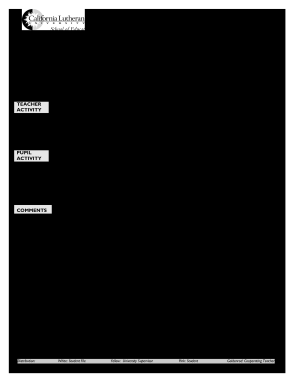
Get California Lutheran University Record Of Student Supervision 2008-2025
How it works
-

Open form follow the instructions
-

Easily sign the form with your finger
-

Send filled & signed form or save
How to fill out the California Lutheran University Record Of Student Supervision online
This guide provides you with a comprehensive and user-friendly approach to completing the California Lutheran University Record Of Student Supervision. By following these steps, you will ensure that you accurately fill out the form, providing necessary information for your student supervision process.
Follow the steps to complete the Record of Student Supervision online.
- Click the ‘Get Form’ button to access the California Lutheran University Record Of Student Supervision form. This will open the document in your chosen editing platform.
- Begin filling out the candidate’s name in the designated 'Candidate' field. Ensure the name is accurate and complete.
- Proceed to the 'Observation Date' field and enter the date of the observation, formatted correctly to ensure clarity.
- In the 'School' section, input the name of the school where the observation takes place. Double-check for any spelling errors.
- Indicate the semester by filling in the appropriate section, ensuring you are precise with the semester designation.
- Complete the 'Cooperating Teacher/Site Supervisor' field by entering the name of the supervising teacher or site supervisor.
- Fill in the 'Visit #' section to indicate the number of the visit, which will help maintain clarity in the record.
- In the 'University Supervisor' field, write the name of the supervisor overseeing your internship or teaching supervision.
- Select the appropriate benchmark by circling the relevant option from I to IV.
- Document the 'Time' by filling in the specific time of the observation and circle the appropriate session: FA (Fall), SP (Spring), or SU (Summer).
- Proceed to the 'Teacher Activity' section and describe the activities conducted by the teacher during the observation.
- In the 'Pupil Activity' area, summarize the activities performed by the students observed.
- Provide any relevant comments related to the observation in the designated comments section.
- Fill in the section for the Education Specialist Teaching Standards and select the Credential Program by marking the boxes for M/M or M/S.
- Include the subject matter, number of students present, and the number of adult assistants in the specified fields.
- Indicate the type of class by circling the applicable option: SDC (Special Day Class), RS (Resource Specialist), or Least Restrictive.
- Sign and date the document in the appropriate signature section to confirm the accuracy of the information.
- Finally, review the entire document for any necessary corrections, save your changes, then download, print, or share the Record of Student Supervision as needed.
Complete the Record Of Student Supervision online today and ensure accurate documentation of your student teaching experiences.
Pass (P) equals C- or above and will count toward graduation. No Credit (NC) equals D+ or lower and will not count toward graduation. Courses graded P/NC are not computed in the GPA.
Industry-leading security and compliance
US Legal Forms protects your data by complying with industry-specific security standards.
-
In businnes since 199725+ years providing professional legal documents.
-
Accredited businessGuarantees that a business meets BBB accreditation standards in the US and Canada.
-
Secured by BraintreeValidated Level 1 PCI DSS compliant payment gateway that accepts most major credit and debit card brands from across the globe.