Loading
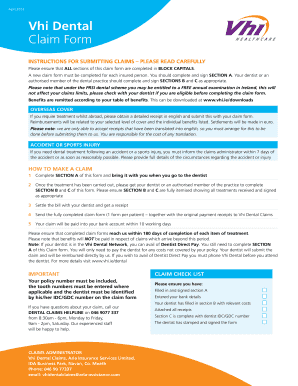
Get Vhi Dental Claim Form
How it works
-

Open form follow the instructions
-

Easily sign the form with your finger
-

Send filled & signed form or save
How to fill out the Vhi Dental Claim Form online
Submitting a dental claim can be a straightforward process when you have the right guidance. This guide outlines the essential steps to effectively complete the Vhi Dental Claim Form online, ensuring you provide all the necessary information to facilitate your claim.
Follow the steps to fill out the Vhi Dental Claim Form
- Click the ‘Get Form’ button to access the Vhi Dental Claim Form. This will allow you to obtain the document in your editing tool of choice.
- In Section A, complete your insured details, including the name of the policyholder, member name, policy number, and the member's date of birth. Make sure all information is filled in BLOCK CAPITALS.
- Select the payment recipient by indicating whether the payment is to be made to the dentist or the member. If the payment is to the member, please enter the bank details: IBAN and BIC.
- Provide your email and contact numbers, indicating whether you wish to receive settlement details by email. Answer additional questions regarding emergency treatment and other dental insurance, if applicable.
- After receiving treatment, ensure that your dentist or an authorized member of the dental practice completes Sections B and C of the form. These sections should detail all treatments received, including fees. Verify that all necessary signatures and stamps from the dentist are included.
- Attach all receipts related to the treatment and ensure they are original documents. This is crucial for the reimbursement process.
- Review the entire claim form for completeness and accuracy. Mistakes or omissions could result in delays or denials of your claim.
- Submit the fully completed claim form and all required documentation. Keep a copy of everything you send, and ensure the documents reach Vhi Dental Claims within 180 days of treatment.
- Your claim should be processed, and any approved benefits will be remitted to your designated bank account within 10 working days.
Take the next step in managing your dental care — complete your Vhi Dental Claim Form online today!
With your new Credit or Debit Card to hand, log in to MyVhi. Click “View” on your MultiTrip policy. Open the Payment Information section and you will see the option to update your payment details. Select “Update Payment Details” and follow the on-screen instructions to make your change.