Loading
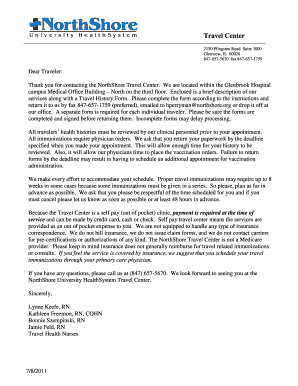
Get Northshore University Healthsystem Travel Health History 2011
How it works
-

Open form follow the instructions
-

Easily sign the form with your finger
-

Send filled & signed form or save
How to fill out the NorthShore University HealthSystem Travel Health History online
Completing the NorthShore University HealthSystem Travel Health History form online is essential for planning your travel health recommendations. This guide provides step-by-step instructions to ensure you fill out the form accurately and completely.
Follow the steps to accurately complete the Travel Health History form.
- Click ‘Get Form’ button to obtain the form and open it in the editor.
- Begin by filling out your personal information, including your name, age, sex, address, and contact details. Ensure that the information is accurate and clear.
- Provide your date of birth and place of birth. You will also need to approximate your weight and provide your Social Security number.
- Indicate your marital status by circling the appropriate option, and specify whether you have been a patient at their Travel Immunization Centers before, along with details if applicable.
- In the planned itinerary section, list your travel dates, countries, and cities in the exact order of travel, specifying the length of stay and marking any rural travel.
- Select your accommodations by checking all applicable options: resort, cruise ship, private home, etc.
- Specify the purpose of your travel by checking all applicable boxes such as business, vacation, or volunteer organization.
- Provide your medical history, including any allergies and prior illnesses. Circle 'Yes' or 'No' as appropriate and include any relevant details.
- List any current medications you are taking, including dosages and frequency.
- Indicate your immune system history and any treatments you have received that might affect it, along with details as necessary.
- Fill in the prior immunizations section by providing dates for each vaccine you have received, and attach copies of your immunization records.
- If applicable, women should answer the pregnancy-related questions honestly.
- Provide your personal physician's information, including their name and contact details.
- Include any additional information that might assist in preparing your travel health recommendations.
- Review the form to ensure that all questions are answered to avoid delays in processing. Then, sign and date the form to confirm its accuracy.
- Return the completed form via fax, email, or by delivering it in person, ensuring you do so before the specified deadline.
Complete your Travel Health History form online today to ensure timely processing of your travel health recommendations.
Get form
Experience a faster way to fill out and sign forms on the web. Access the most extensive library of templates available.
Get This Form Now!
Use professional pre-built templates to fill in and sign documents online faster. Get access to thousands of forms.
Industry-leading security and compliance
US Legal Forms protects your data by complying with industry-specific security standards.
-
In businnes since 199725+ years providing professional legal documents.
-
Accredited businessGuarantees that a business meets BBB accreditation standards in the US and Canada.
-
Secured by BraintreeValidated Level 1 PCI DSS compliant payment gateway that accepts most major credit and debit card brands from across the globe.