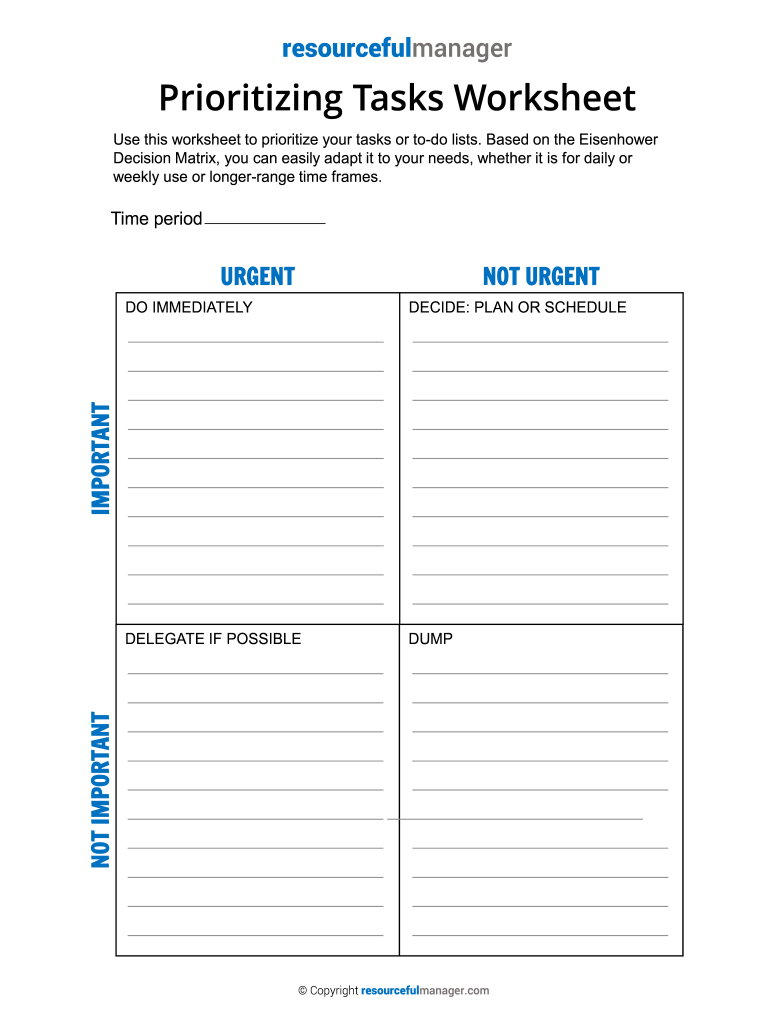
It is for daily or weekly use or longer-range time frames. Time period URGENT NOT URGENT DECIDE: PLAN OR SCHEDULE DELEGATE IF POSSIBLE DUMP NOT IMPORTANT IMPORTANT DO IMMEDIATELY Copyright resourcefulmanager.com.

Open form follow the instructions

Easily sign the form with your finger

Send filled & signed form or save
How to fill out the Prioritizing Tasks Worksheet online
The Prioritizing Tasks Worksheet is a valuable tool for organizing and managing your tasks efficiently. This guide will provide you with clear, step-by-step instructions on how to fill out the worksheet online, ensuring you maximize your productivity.
Follow the steps to complete your Prioritizing Tasks Worksheet online.
- Press the ‘Get Form’ button to access the worksheet and open it in the editor.
- Identify the time period for your tasks, specifying whether you are organizing daily, weekly, or for a longer-term basis.
- Begin categorizing your tasks based on their urgency and importance. Place tasks that require immediate attention in the 'Do Immediately' section.
- For tasks that are important but not urgent, decide whether to schedule or plan them for later. Place these tasks in the 'Decide: Plan or Schedule' category.
- Evaluate tasks that are urgent but not important. If possible, delegate these tasks to someone else, placing them in the 'Delegate if possible' section.
- Lastly, identify any tasks that are neither urgent nor important and consider whether to remove them, placing them in the 'Dump' category.
- Once all tasks are categorized, review your decisions to ensure you have prioritized effectively. Make adjustments as necessary.
- After completing the worksheet, save your changes, and consider downloading, printing, or sharing the document for your records.
Complete your Prioritizing Tasks Worksheet online today to enhance your task management and efficiency.
Experience a faster way to fill out and sign forms on the web. Access the most extensive library of templates available.
Related content
Briefly document the site's policy on anti-retaliation/ ... prioritize hazard controls and...
Use this worksheet to help you prioritize tasks for the week (or the day). List...
Develop and prioritize strategies for improvement. ... o Persons responsible for...
Get answers to your most pressing questions about US Legal Forms API.
What are the 4 levels of prioritizing tasks?
Priority setting: Setting priority levels—low, medium, high, or urgent—for each task helps clarify what needs to be done first while keeping the entire team in the loop.
How do you prioritize your work 3 steps?
How to prioritize tasks at work Decide which tasks are the most important. First, decide which tasks on your to-do list are the most critical. ... Put your tasks in a calendar. ... Set boundaries. ... Account for distractions. ... Get help from technology. ... Prioritize one task at a time. ... Use a scheduling tool. ... Delegate tasks.
What are prioritization strategies?
Prioritization strategies are methods you can use to complete your daily work tasks, such as making lists, determining which items to complete that day and executing each task in order of urgency. Implementing them can help you accomplish more in less time and give you more time to complete less essential tasks.
What is an example of prioritizing tasks?
An example of this could be: “I'd be lost without my daily to-do list! At the beginning of each workday, I write out tasks to complete, and list them from highest to lowest priority. This helps with my workflow and keeps me on track with what needs to get done for the day.”
How do you prioritize certain tasks?
How to prioritize tasks at work Decide which tasks are the most important. First, decide which tasks on your to-do list are the most critical. ... Put your tasks in a calendar. ... Set boundaries. ... Account for distractions. ... Get help from technology. ... Prioritize one task at a time. ... Use a scheduling tool. ... Delegate tasks.
What are the 3 key components to prioritizing?
3 Ways to Prioritize QUADRANT 1: Important + Urgent. ... QUADRANT 2: Important + Not-Urgent. ... QUADRANT 3: Not Important + Urgent. ... QUADRANT 4: Not Important + Not Urgent.
What are 3 ways to prioritize?
Consider the following three ways to help you better organize your workday: Identify what you need to do, should do and want to do. Focus first on the tasks you must do that day. ... Recognize your most productive time of day. Reflect on the time of day you find that you are routinely most productive.
Use professional pre-built templates to fill in and sign documents online faster. Get access to thousands of forms.
If you believe that this page should be taken down, please follow our DMCA take down process here.