Loading
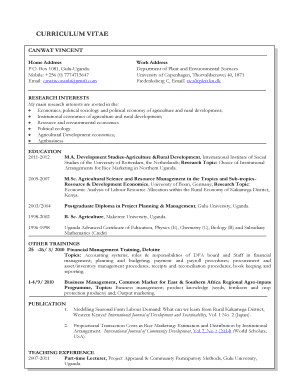
Get Canwat Vincent
How it works
-

Open form follow the instructions
-

Easily sign the form with your finger
-

Send filled & signed form or save
How to fill out the CANWAT VINCENT online
Filling out the CANWAT VINCENT form online is a straightforward process that involves several essential steps. This guide provides clear instructions on completing each section of the form to ensure users can successfully submit their information.
Follow the steps to effectively complete the CANWAT VINCENT form online.
- Click the ‘Get Form’ button to obtain the form and open it in your preferred editor.
- Begin by entering your personal contact information. This includes your home address, mobile number, and email address. Ensure all details are accurate and up-to-date.
- Next, provide your work address. This should include the institution's name, postal address, and a contact email related to your work.
- In the research interests section, outline your main research areas. Use bullet points to clearly specify each interest, ensuring clarity and focus.
- Fill out the education section chronologically, starting with the most recent qualification. Include the name of the institution, degree obtained, field of study, and research topic if applicable.
- Detail any other relevant trainings you have completed. This should include the dates, names of training programs, and a brief overview of the topics covered.
- List your publications. For each publication, provide the title, the journal name, and any other pertinent details such as volume and issue numbers.
- Describe your teaching experience, clearly outlining the positions held, the institutions, and the courses taught during your tenure.
- Detail your work experience chronologically, summarizing your responsibilities and main activities in each role. It is essential to highlight the skills acquired and achievements during your employment.
- Enumerate your computer skills along with any relevant languages spoken, ensuring to provide a complete overview of your technical competencies.
- Finally, list your referees. Include their names, contact information, and any relevant roles they hold, ensuring that all details are accurate.
- Once all sections are complete, review your form for accuracy. Save your changes, and choose to download, print, or share the form as necessary.
Start completing your documents online today to streamline your submission process!
Industry-leading security and compliance
US Legal Forms protects your data by complying with industry-specific security standards.
-
In businnes since 199725+ years providing professional legal documents.
-
Accredited businessGuarantees that a business meets BBB accreditation standards in the US and Canada.
-
Secured by BraintreeValidated Level 1 PCI DSS compliant payment gateway that accepts most major credit and debit card brands from across the globe.