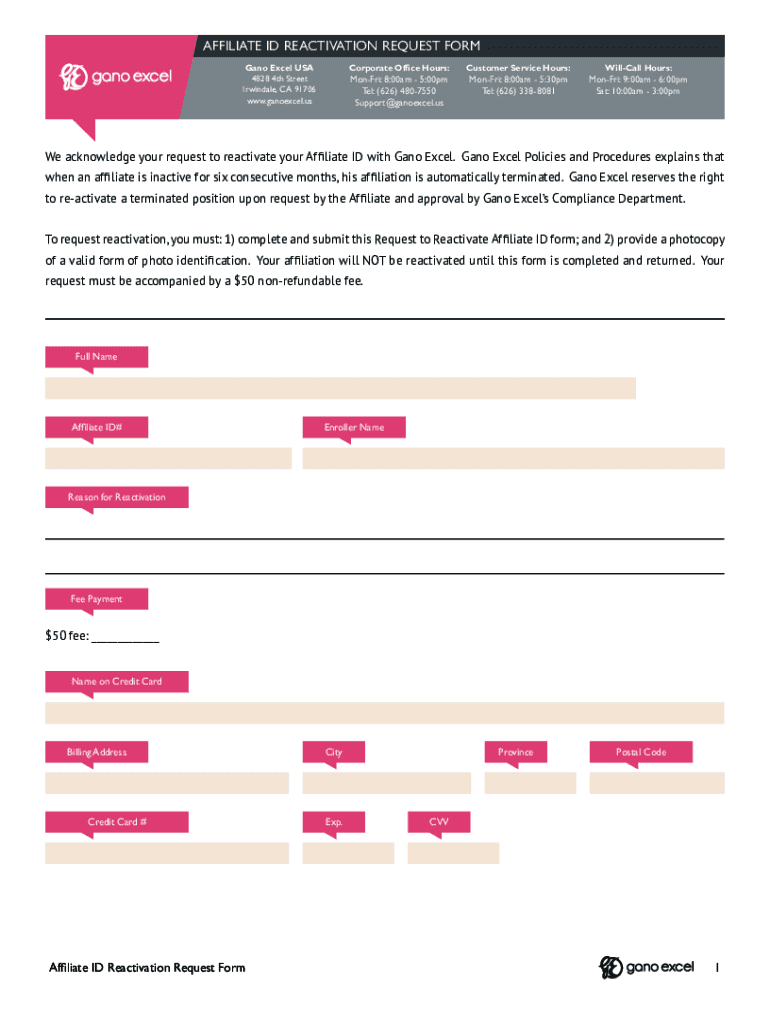
AFFILIATE ID REACTIVATION REQUEST FORM Gano Excel USA 15439 Dupont Ave Chino CA 91710 www. ganoexcel.us Corporate Office Hours Mon-Fri 8 00am - 5 00pm Tel 626 480-7550 Support ganoexcel.us Customer Service Hours Tel 626 338-8081 Will-Call Hours Sat 10 00am - 3 00pm We acknowledge your request to reactivate your Affiliate ID with Gano Excel. Gano Excel Policies and Procedures explains that when an affiliate is inactive for six consecutive months his affiliation is automatically terminated. Gano Excel reserves the right to re-activate a terminated position upon request by the Affiliate and approval by Gano Excel s Compliance Department. Full Name Affiliate ID Enroller Name Reason for Reactivation Fee Payment 50 fee Name on Credit Card Billing Address Credit Card City Exp. Province Postal Code CVV I understand that my Affiliate ID with Gano Excel has become Inactive due to my absence from the Company for a consecutive six months. I also understand that after re-activation Gano Excel has t....
Loading

Open form follow the instructions

Easily sign the form with your finger

Send filled & signed form or save
How to fill out the Gano Excel Affiliate ID Reactivation Request Form online
Reactivating your Gano Excel Affiliate ID is a straightforward process that involves completing a specific request form and providing necessary documentation. This guide will walk you through the steps to fill out the Gano Excel Affiliate ID Reactivation Request Form online.
Follow the steps to successfully complete your reactivation request.
- Click ‘Get Form’ button to obtain the form and open it in the editor.
- Provide your full name in the designated field. Ensure that it matches the name on your identification documents.
- Enter your Affiliate ID number in the relevant section. If you do not remember your Affiliate ID, check previous communications from Gano Excel for reference.
- List the name of your enroller in the appropriate field. This information can often be found in your past affiliation documents.
- Specify the reason for your reactivation in the provided space. Be clear and concise in your explanation.
- Indicate the payment method for the $50 non-refundable fee. Ensure that you fill out the fields related to fee payment accurately.
- Fill in the name on your credit card, billing address, credit card number, city, province, postal code, expiration date, and CVV in the respective fields.
- Sign and date the form in the designated area, acknowledging your understanding of the terms regarding reactivation.
- Review all provided information for accuracy and completeness before submission.
- Once finalized, save changes, and you can choose to download, print, or share the completed form as needed.
Complete your Gano Excel Affiliate ID Reactivation Request form online now.
Experience a faster way to fill out and sign forms on the web. Access the most extensive library of templates available.
Related content
Aug 2, 2019 — (f) If a person other than the complainant requests that his identity be...
Students in USciences' three colleges learn to excel in scientific analysis ... students...
This fuel will be treated in the Fuel Conditioning Facility (FCF) at ANL-West to produce...
Use professional pre-built templates to fill in and sign documents online faster. Get access to thousands of forms.
If you believe that this page should be taken down, please follow our DMCA take down process here.