Loading
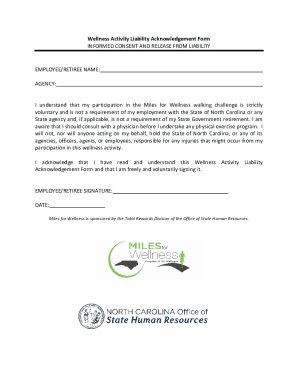
Get Nc Wellness Activity Liability Acknowledgement Form 2021-2026
How it works
-

Open form follow the instructions
-

Easily sign the form with your finger
-

Send filled & signed form or save
How to fill out the NC Wellness Activity Liability Acknowledgement Form online
This guide offers step-by-step instructions on completing the NC Wellness Activity Liability Acknowledgement Form online. By following these directions, you can ensure that your submission is accurate and complete.
Follow the steps to successfully complete your form online.
- Click ‘Get Form’ button to access the document and open it in your preferred editor.
- Begin by entering your name in the 'Employee/Retiree Name' field. Ensure that you provide your full legal name for identification purposes.
- Next, fill in the 'Agency' field with the name of your affiliated agency. This helps to associate your participation with the correct department.
- Read the informed consent and release from liability section carefully. This portion emphasizes that your participation in the challenge is voluntary and not required by your employment or retirement status. Acknowledge this understanding mentally as you proceed.
- Confirm that you are aware of the importance of consulting a physician if you have any concerns about your ability to participate in physical activities. This is a critical step for your safety.
- In the signature field, insert your signature to indicate your consent. Be sure to sign your name exactly as it appears in the 'Employee/Retiree Name' field for consistency.
- Finally, enter the date of your signature in the designated area. This date should reflect when you are completing the form.
- After completing all required fields, review your entries to ensure accuracy. Once satisfied, you can save changes, download a copy, print it, or share the form as needed.
Take action now to complete your NC Wellness Activity Liability Acknowledgement Form online.