Loading
Get Au Me Bank Me0106 2022-2026
How it works
-

Open form follow the instructions
-

Easily sign the form with your finger
-

Send filled & signed form or save
How to fill out the AU ME Bank ME0106 online
Filling out the AU ME Bank ME0106 form is an important step in managing your loan direct debit requests. This guide provides clear and concise instructions to help you complete the form efficiently and accurately.
Follow the steps to successfully complete your loan direct debit request.
- Click ‘Get Form’ button to obtain the form and open it in your preferred online environment.
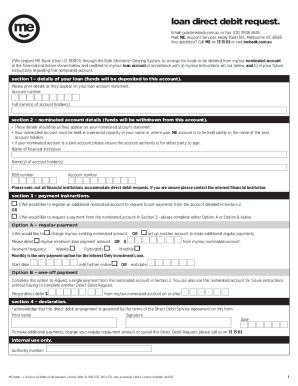
- In Section 1, provide the details of your loan. Enter your loan account number and the full name(s) of the account holder(s) as they appear on your loan account statement.
- Move to Section 2 to fill in the nominated account details. Start by entering the name of your financial institution, the name(s) of the account holder(s), the BSB number, and the account number. Ensure these details match those on your nominated account statement.
- In Section 3, provide your payment instructions. Choose whether to register an additional nominated account or request payments from the nominated account. Select either Option A for regular payments or Option B for a one-off payment and fill in the necessary amounts and payment frequencies.
- In Section 4, complete the declaration. Print your name, provide your signature, and date the form appropriately.
Complete your document online today to manage your loan payments effectively.
Online bank transfers might take a long time for a number of reasons, including global events or natural disasters, bank holidays, different currencies, weekend delays, missing paperwork, time differences, different banking regulations, fraud detection processes, and the risk profile of the sender.