Loading
Get Harvard 001-11 Hpg 2001-2026
How it works
-

Open form follow the instructions
-

Easily sign the form with your finger
-

Send filled & signed form or save
How to fill out the Harvard 001-11 HPG online
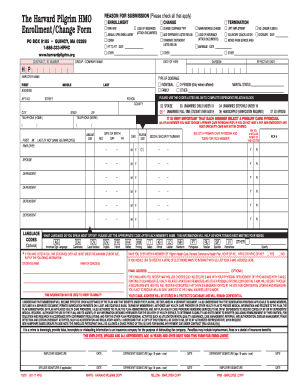
The Harvard 001-11 HPG form is essential for enrollment and changes within the Harvard Pilgrim HMO. This guide will help you navigate through each section of the form, ensuring you complete it accurately and efficiently.
Follow the steps to successfully complete your Harvard 001-11 HPG form online.
- Click the ‘Get Form’ button to obtain the online version of the Harvard 001-11 HPG form and open it in your editor.
- Indicate the reason for submission by checking the appropriate boxes in the 'Reason for Submission' section. You can choose from categories such as enrollment, change, or termination.
- Fill in the contract or ID number, followed by details regarding your enrollment or change in coverage. Attach any required documents as indicated.
- Complete the personal information section by providing your full name, address, phone numbers, marital status, and other pertinent details.
- If you have dependents, fill out their information. Include their names, dates of birth, relationship to you, and select a primary care physician for each dependent.
- Indicate the type of coverage you are applying for, such as individual, family, or other, by selecting the relevant checkbox.
- If applicable, fill out the section regarding full-time students over age 19, providing their names and the names of their educational institutions.
- Lastly, review all inputted information for accuracy. To complete the process, save your changes, download a copy of the filled form, and/or print it for your records.
Complete your Harvard 001-11 HPG form online today to ensure a smooth enrollment or change process.