Loading
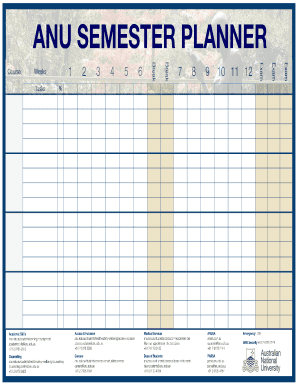
Get Australian National University Semester Planner 2019
How it works
-

Open form follow the instructions
-

Easily sign the form with your finger
-

Send filled & signed form or save
How to fill out the Australian National University Semester Planner online
The Australian National University Semester Planner is an essential tool for students to organize their academic schedule effectively. This guide provides clear instructions on how to complete the planner online, ensuring that you manage your semester successfully.
Follow the steps to complete the semester planner online.
- Click the ‘Get Form’ button to access the semester planner form and open it in your preferred editor.
- Begin by entering your personal details in the designated fields, including your name, student ID, and contact information.
- Next, select your courses for the semester. Ensure that you review prerequisites and course schedules to avoid conflicts.
- Fill in the dates for important academic events, such as assignment due dates and examination periods, to keep track of your obligations.
- Review your completed planner for accuracy. Ensure all information is correctly filled out and that there are no missing entries.
- Once you are satisfied with your planner, save the document. You can also download, print, or share it as needed.
Start filling out your semester planner online today!
Get form
Experience a faster way to fill out and sign forms on the web. Access the most extensive library of templates available.
single trimester must at a minimum meet all of the following criteria in their current ANU program: successful completion of at least 48 units; a. successful completion of at least 24 units of courses in a single trimester; b.
Get This Form Now!
Use professional pre-built templates to fill in and sign documents online faster. Get access to thousands of forms.