Loading
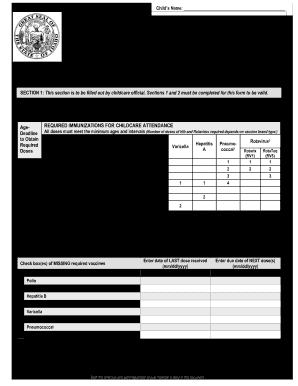
Get Id Schedule Of Intended Immunizations Form 2011
How it works
-

Open form follow the instructions
-

Easily sign the form with your finger
-

Send filled & signed form or save
How to fill out the ID Schedule Of Intended Immunizations Form online
The ID Schedule Of Intended Immunizations Form is essential for documenting a child's immunization requirements for childcare admission in Idaho. This guide provides clear instructions for completing the form online to ensure your child's eligibility for conditional attendance.
Follow the steps to fill out the form accurately and efficiently.
- Click the ‘Get Form’ button to obtain the form and open it for editing.
- In Section 1, provide the child's name in the specified fields: Last, First, and Middle. Also enter the date of birth in the format Month/Day/Year.
- Moving to the vaccines needed section, identify and circle the dose number(s) for each required overdue vaccine listed. Ensure that the child's age corresponds with the age deadlines specified.
- For the vaccine catch-up schedule, enter the date of the last dose received for each overdue vaccine and the due date of the next dose. Check the boxes for any missing required vaccines.
- As the childcare facility representative, fill in your title and the name of the facility. Sign and date the form, certifying the child's eligibility for conditional attendance.
- Section 2 requires the parent/guardian to print their name and sign. They must also date the form and provide both home and cell phone numbers.
- Review all entered information for accuracy. Once complete, save the changes to the form, and consider downloading or printing it for your records.
Ensure your child's immunization records are up to date by completing the ID Schedule Of Intended Immunizations Form online.
Get form
Experience a faster way to fill out and sign forms on the web. Access the most extensive library of templates available.
Related links form
Submit the Student Immunization Record to Email healthcompliance@fsu.edu. Fax to 850-644-8958. Mail to University Health Services. ... Bring to Room 1005, Health and Wellness Center or place them in the Health Compliance box in the atrium. We are unable to accept photos of documents at this time.
Get This Form Now!
Use professional pre-built templates to fill in and sign documents online faster. Get access to thousands of forms.