Loading
Get Ny Nycers F137 2021-2026
How it works
-

Open form follow the instructions
-

Easily sign the form with your finger
-

Send filled & signed form or save
How to fill out the NY NYCERS F137 online
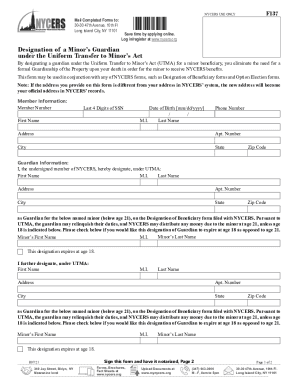
The NY NYCERS F137 form allows you to designate a guardian for a minor beneficiary under the Uniform Transfer to Minor’s Act. Completing this form online ensures a streamlined process for managing your designated benefits.
Follow the steps to complete the NY NYCERS F137 form online.
- Press the ‘Get Form’ button to access the form online and open it in your chosen editor.
- Begin by entering your member information, including your member number, the last four digits of your Social Security Number, your first and last name, middle initial, date of birth, phone number, and complete address.
- In the guardian information section, fill in the first and last name, middle initial, address, apartment number, city, state, and zip code of the guardian you wish to designate for the minor.
- For each minor under age 21, enter their first and last name, middle initial, and indicate whether the designation should expire at age 18 or 21.
- If you are designating multiple guardians, repeat the same process for each minor, ensuring to include all required guardian details.
- Sign the form in the designated area, ensuring you do this in the presence of a Notary Public or Commissioner of Deeds.
- Finalize the process by acknowledging that the information is complete and accurate, and ensure you do not make any erasures or alterations on the form.
- Once you have completed the form, save your changes, and choose to download, print, or share the form as necessary.
Complete your NYCERS F137 form online today for efficient handling of your minor’s benefits.