Loading
Get Green Fiber Pm-6.3-141 2020-2026
How it works
-

Open form follow the instructions
-

Easily sign the form with your finger
-

Send filled & signed form or save
How to fill out the Green Fiber PM-6.3-141 online
Filling out the Green Fiber PM-6.3-141 form online can be a straightforward process if you follow the guidelines carefully. This guide provides clear, step-by-step instructions to ensure you complete the form accurately and efficiently.
Follow the steps to successfully complete the Green Fiber PM-6.3-141 form.
- Click the ‘Get Form’ button to obtain the Green Fiber PM-6.3-141 form and open it in your preferred editor.
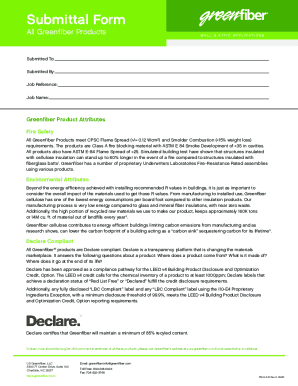
- In the 'Submitted To' field, enter the name of the organization or individual who will receive the form.
- In the 'Submitted By' field, provide your name or the name of the person completing the form.
- Fill in the 'Job Reference' section, including any relevant project or job identification number.
- Enter the 'Job Name' which refers to the title of the project associated with this submission.
- Next, review the sections titled 'Greenfiber Product Attributes,' which outline important information about fire safety and environmental attributes. Ensure that you understand these characteristics as they relate to the product you are submitting.
- If applicable, provide details related to sound control and test requirements mentioned in the form.
- Complete any additional sections or fields required for your specific application or product type.
- Once you have filled out all required information, review the form thoroughly for accuracy.
- Finally, you can save your changes, download the form, print it, or share it as required.
Complete your documents online now to streamline your submission process.