Loading
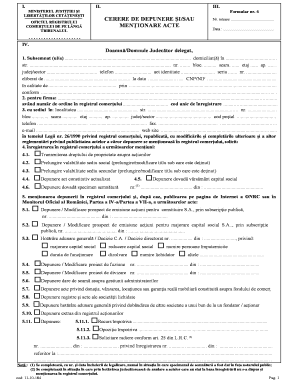
Get Cerere Depunere Mentionare Acte
How it works
-

Open form follow the instructions
-

Easily sign the form with your finger
-

Send filled & signed form or save
How to fill out the Cerere Depunere Mentionare Acte online
Filling out the Cerere Depunere Mentionare Acte online can seem daunting, but this guide will provide clear and concise instructions to help you complete the process with ease. Whether you have prior experience or are a first-time user, following these steps will assist you in accurately submitting your request.
Follow the steps to complete your application online.
- Click the ‘Get Form’ button to access the form and open it for editing.
- In the first section, input your full name and address. Make sure to provide all relevant details, such as street name, street number, block, entrance, floor, and apartment number, ensuring accuracy for legal documentation.
- Enter your contact information, including phone number and identification details. This includes your identification document series and number, as well as the issuing authority.
- Identify your role in relation to the request and provide supporting information. State the firm’s name, registration number, and unique identification code, ensuring that the business details are correctly documented.
- Fill out the address of the firm, including locality, street details, and postal code. Ensure that contact details like phone and fax numbers, as well as email and website information, are accurate.
- In the main body of the application, specify your request for registration in the commercial register, outlining which mentions or actions you are applying for, selecting all that apply from the provided options.
- List all documents you are submitting along with the application. You should generate a clear description of each document in the provided table format, ensuring a complete overview of what accompanies your request.
- Complete the declaration section, affirming that the information provided is true and complete. Sign and date the application.
- Select your preferred method of communication for receiving confirmation of your submission, choosing from options such as mail, email, or in-person pickup.
- Lastly, review the entire form to ensure accuracy and completeness. Once you are satisfied with the information provided, save your changes, then download, print, or share the form as necessary.
Don't hesitate—complete your documents online today!