Loading
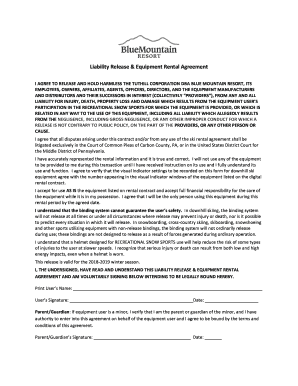
Get Blue Mountain Waiver
How it works
-

Open form follow the instructions
-

Easily sign the form with your finger
-

Send filled & signed form or save
How to fill out the Blue Mountain Waiver online
Filling out the Blue Mountain Waiver online is a straightforward process designed to protect both the user and the providers. This guide provides clear, step-by-step instructions to help users complete the waiver accurately and efficiently.
Follow the steps to complete the waiver online effectively.
- Click ‘Get Form’ button to access the Blue Mountain Waiver and open it in the designated editor.
- Begin by providing the user’s name in the designated field. Ensure the name is accurate and spelled correctly, as this will be part of the agreement.
- Next, review the liability release statement carefully. This section outlines important information regarding the release of liability from the providers. Make sure you understand the terms being agreed upon.
- In the following fields, accurately represent the rental information for the equipment. Verify that all details entered are true and correct before proceeding.
- You will need to confirm your understanding of the equipment’s use. Indicate that you will not use the equipment until you have received proper instructions and fully understand its functionalities.
- Record the visual indicator settings for the downhill ski equipment in the specified fields and ensure that they match the actual settings on the equipment before completing the form.
- Acknowledge and accept the equipment as listed in the rental contract. By doing this, you take full financial responsibility for the equipment while it is under your care.
- If the user is a minor, the parent or guardian must fill out their name and signature in the specified fields. Confirm that you have the authority to agree to the terms on behalf of the minor.
- Finally, review all information entered for accuracy before saving the changes. You will have the option to download, print, or share the completed waiver for your records.
Complete your documents online to ensure a seamless experience and stay prepared for your recreational activities.
Starting June 6, anyone wanting to use Blue's hiking trails will have to buy an “Explore Pass” at $59 for adults, $49 for young adults, $39 for youth and $19 for children four and under. The passes also provide access to gondola service.