Loading
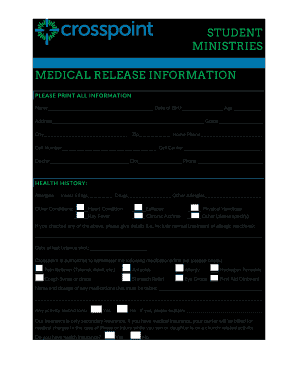
Get Crosspoint Medical Release Information - Niceville
How it works
-

Open form follow the instructions
-

Easily sign the form with your finger
-

Send filled & signed form or save
How to fill out the Crosspoint Medical Release Information - Niceville online
This guide will assist you in completing the Crosspoint Medical Release Information - Niceville form online. By following these detailed steps, you will ensure that all necessary information is accurately provided for your child’s participation in church-related activities.
Follow the steps to successfully complete the medical release form.
- Press the 'Get Form' button to access the Crosspoint Medical Release Information form and open it in your designated editor.
- Begin by entering the participant's name, date of birth, age, address, grade, city, and zip code in the designated fields. Ensure all information is printed clearly.
- Provide the home phone number, cell number, and the cell carrier in the respective sections. Make sure the contact information is current and accurate.
- Fill in the name and contact details of the participant's doctor, including the city of practice and phone number.
- In the health history section, indicate any allergies and other health conditions by checking the appropriate boxes and providing additional details where requested.
- Specify the date of the last tetanus shot and select which medications and first aid supplies Crosspoint is authorized to administer by checking the corresponding boxes.
- List any medications that the participant must take, along with their dosages, ensuring clear and accurate descriptions.
- Answer whether there are any activity restrictions by checking 'Yes' or 'No,' and provide an explanation if applicable.
- Indicate whether the participant has health insurance, and if so, ensure the insurance carrier will be billed for any medical charges. Fill out the emergency contact information, including the names and phone numbers of parents or guardians.
- Read and sign the liability release form, including acknowledgment of the risks involved, and provide the necessary signatures where indicated, including notary requirements if applicable.
- Once all information has been completed, save your changes and choose to download, print, or share the Crosspoint Medical Release Information form as needed.
Complete the Crosspoint Medical Release Information form online today to ensure your child’s participation in activities.
Cross Point still serves an average of at least 5,600 people each week, Nichols said.