Loading
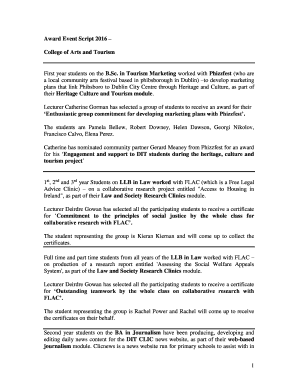
Get Virtual Awards Ceremony Script
How it works
-

Open form follow the instructions
-

Easily sign the form with your finger
-

Send filled & signed form or save
How to fill out the Virtual Awards Ceremony Script online
Filling out the Virtual Awards Ceremony Script online can appear complex, but with a clear understanding of its components, the process can be straightforward. This guide provides step-by-step instructions to help you complete the form effectively, ensuring a smooth experience for all participants involved.
Follow the steps to successfully complete the Virtual Awards Ceremony Script.
- Press the ‘Get Form’ button to access the Virtual Awards Ceremony Script. This action will allow you to retrieve the form and open it in your online document editor.
- Begin by entering the event details such as the date, time, and location of the ceremony. Ensure that this information is accurate to provide participants with the necessary details.
- Identify and list the award categories available for the ceremony. Each category should be clearly defined to inform attendees of the nature of the awards.
- For each award category, detail the names of the recipients. Include the full names of individuals or groups being recognized, making sure to spell them correctly.
- In the section provided, describe the achievements or contributions of each recipient that justify their recognition. This is a crucial part of the script that highlights the significance of each award.
- If applicable, specify the community partners associated with each award category. It is important to acknowledge those who supported and participated in collaborative efforts.
- Conclude with any final remarks or acknowledgments. Prepare a short section to thank all contributors, including staff and community partners, for their involvement.
- Lastly, once all sections are completed, save your changes. You will have options to download, print, or share the form as needed.
Complete the Virtual Awards Ceremony Script online to honor the achievements of all participants!
Presenting Awards Tell a story about the significance of the award. Pronounce names of the recipients correctly. Provide background on the recipient. Hold the award respectfully and hand it to the recipient as if it were a treasure. Wait to invite the recipient to the lectern until you formally introduce them.
Industry-leading security and compliance
US Legal Forms protects your data by complying with industry-specific security standards.
-
In businnes since 199725+ years providing professional legal documents.
-
Accredited businessGuarantees that a business meets BBB accreditation standards in the US and Canada.
-
Secured by BraintreeValidated Level 1 PCI DSS compliant payment gateway that accepts most major credit and debit card brands from across the globe.