Loading
Form preview
  • US Legal Forms
  • Other Templates
  • More Forms
  • More Multi-State Forms
  • Gauteng Department Of Education Database

Get Gauteng Department Of Education Database

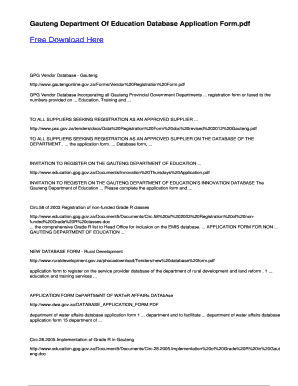
Base Incorporating all Gauteng Provincial Government Departments ... registration form or faxed to the numbers provided on ... Education, Training and ... TO ALL SUPPLIERS SEEKING REGISTRATION AS AN APPROVED SUPPLIER ... http://www.psc.gov.za/tenders/docs/Data%20Registration%20Form%20doc%20revised%202012%20Gauteng.pdf TO ALL SUPPLIERS SEEKING REGISTRATION AS AN APPROVED SUPPLIER ON THE DATABASE OF THE DEPARTMENT . ... the application form. ... Database form, ... INVITATION TO REGISTER ON THE G.

How it works

  1. Open form

    Open form follow the instructions

  2. Easily sign form

    Easily sign the form with your finger

  3. Share form

    Send filled & signed form or save

How to fill out the Gauteng Department Of Education Database online

Filling out the Gauteng Department Of Education Database application form is an essential step for users wishing to be registered as approved suppliers. This guide offers clear, step-by-step instructions to assist users in completing the form accurately and efficiently.

Follow the steps to successfully complete the application form.

  1. Click the ‘Get Form’ button to access the application form. This will allow you to open it in an appropriate format for completion.
  2. Begin by providing your personal information, including your name, contact details, and any relevant registration numbers. Ensure all data entered is accurate and up to date.
  3. Next, you will find sections that require details about your products or services. Clearly outline what you offer, ensuring this information aligns with the requirements of the Gauteng Department of Education.
  4. Proceed to the financial information section where you must input your banking details, including the account number and branch code, to facilitate payment transactions.
  5. Review the terms and conditions outlined at the bottom of the form. It is important to understand these provisions before proceeding.
  6. Once all sections are filled out, review your responses to ensure accuracy. Make any necessary corrections before final submission.
  7. Save your changes, and at the end of the process, you may choose to download, print, or share the completed form as necessary.

Start your application process today by completing the Gauteng Department Of Education Database form online.

Get form

Experience a faster way to fill out and sign forms on the web. Access the most extensive library of templates available.
Get form

Related content

EJ1152645 - In-Service Secondary School Teachers...
by JB Adegbenro · 2017 · Cited by 44 — A survey was administered to a group of 21...
Learn more
Gauteng Department Of Education Database...
Right here, we have countless ebook Gauteng Department Of Education Database Application...
Learn more
draft procedural manual for the assessment of...
made available by the Department of Basic Education in the case where the learner does not...
Learn more

Related links form

Download Form 700 Schedule A 1 Comparing Core Ecm Features Form From 5738 Sps Form Blank Bus Schedule Form

Questions & Answers

Get answers to your most pressing questions about US Legal Forms API.

Contact support

Cannot register on the system? Click on the REGISTER tab. Enter all required information. Click on the REGISTER button after ensuring that the information has been correctly entered. A notification confirming that the account has been successfully registered will pop up, Click OK.

Talk to us Call Centre: 0800 202 933 | Callcentre@dbe.gov.za. Switchboard: 012 357 3000. Email: info@dbe.gov.za. Certification: 012 357 4511/3 | Certificationapplications@dbe.gov.za. Media Queries: media@dbe.gov.za. Website-related queries: webmaster@dbe.gov.za. Information Officer: Chris Leukes:

Cannot register on the system? Click on the REGISTER tab. Enter all required information. Click on the REGISTER button after ensuring that the information has been correctly entered. A notification confirming that the account has been successfully registered will pop up, Click OK.

Head of Department: Education: Edward Mosuwe, Mr Street Address: 6 Hollard Building, Talis House, JOHANNESBURG.

Teachers who want to work in Gauteng are advised to register on the GDE's online portal for unemployed teachers. Appointments will be as a substitute or temporary educator depending on the post to be filled. The length of the appointment will depend on the needs of the school you are appointed in.

Register as an educator South African Council for Educators (SACE) or call 012 663 9517 / 086 1007 223. Department of Basic Education or call 012 357 3000.

You must register with the South African Council for Educators (SACE)....Complete the application form and submit it to SACE with the following documents: certified copies of your professional diploma(s) and/or degree certificate(s) certified copy of your identity document. registration fee.

​Documents required to apply: ​Parents/ legal guardian Identity Document. Proof of home/ work address. Child birth certicate. Clinic card for Grade 1 applications. Current school academic report card for Grade Grade 8 applications​

Get This Form Now!

Use professional pre-built templates to fill in and sign documents online faster. Get access to thousands of forms.
Get form
If you believe that this page should be taken down, please follow our DMCA take down processhere.
Get Gauteng Department Of Education Database
Get form
  • Adoption
  • Bankruptcy
  • Contractors
  • Divorce
  • Home Sales
  • Employment
  • Identity Theft
  • Incorporation
  • Landlord Tenant
  • Living Trust
  • Name Change
  • Personal Planning
  • Small Business
  • Wills & Estates
  • Packages A-Z
  • Affidavits
  • Bankruptcy
  • Bill of Sale
  • Corporate - LLC
  • Divorce
  • Employment
  • Identity Theft
  • Internet Technology
  • Landlord Tenant
  • Living Wills
  • Name Change
  • Power of Attorney
  • Real Estate
  • Small Estates
  • Wills
  • All Forms
  • Forms A-Z
  • Other Templates
  • Legal Hub
  • About Us
  • Help Portal
  • Legal Resources
  • Blog
  • Affiliates
  • Contact Us
  • Delete My Account
  • Site Map
  • Industries
  • Forms in Spanish
  • Localized Forms
  • State-specific Forms
  • Forms Kit
  • Real Estate Handbook
  • All Guides
  • Notarize
  • Incorporation services
  • For Consumers
  • For Small Business
  • For Attorneys
  • USLegal
  • FormsPass
  • pdfFiller
  • signNow
  • altaFlow
  • DocHub
  • Instapage
Form Packages
  • Adoption
  • Bankruptcy
  • Contractors
  • Divorce
  • Home Sales
  • Employment
  • Identity Theft
  • Incorporation
  • Landlord Tenant
  • Living Trust
  • Name Change
  • Personal Planning
  • Small Business
  • Wills & Estates
  • Packages A-Z
Form Categories
  • Affidavits
  • Bankruptcy
  • Bill of Sale
  • Corporate - LLC
  • Divorce
  • Employment
  • Identity Theft
  • Internet Technology
  • Landlord Tenant
  • Living Wills
  • Name Change
  • Power of Attorney
  • Real Estate
  • Small Estates
  • Wills
  • All Forms
  • Forms A-Z
  • Other Templates
Customer Service
  • Legal Hub
  • About Us
  • Help Portal
  • Legal Resources
  • Blog
  • Affiliates
  • Contact Us
  • Delete My Account
  • Site Map
  • Industries
  • Forms in Spanish
  • Localized Forms
  • State-specific Forms
  • Forms Kit
Legal Guides
  • Real Estate Handbook
  • All Guides
Prepared for you
  • Notarize
  • Incorporation services
Our Customers
  • For Consumers
  • For Small Business
  • For Attorneys
Our Sites
  • USLegal
  • FormsPass
  • pdfFiller
  • signNow
  • altaFlow
  • DocHub
  • Instapage
Social Media
Call us now toll free:
+1 833 426 79 33
As seen in:
© Copyright 1999-2026 airSlate Legal Forms, Inc. 17 Station Street, Ste. 203, Brookline, MA 02445
  • Your Privacy Choices
  • Terms of Service
  • Privacy Notice
  • Content Takedown Policy
  • Bug Bounty Program