Loading
Get Canada Sc Nas5022 2014-2026
How it works
-

Open form follow the instructions
-

Easily sign the form with your finger
-

Send filled & signed form or save
How to fill out the Canada SC NAS5022 online
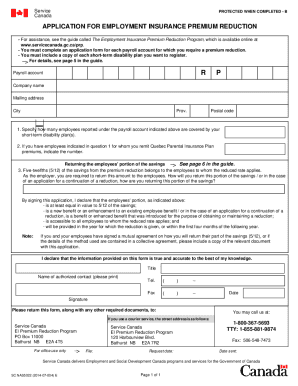
The Canada SC NAS5022 form is essential for employers seeking a reduction in Employment Insurance premiums through the program. This guide provides clear and concise steps for completing the form online, ensuring you understand each component of the application process.
Follow the steps to accurately complete your application for Employment Insurance premium reduction.
- Press the ‘Get Form’ button to access the application and open it in your preferred online editor.
- Enter your payroll account information, including the company name, mailing address, city, province, and postal code.
- Specify the number of employees reported under the payroll account who are covered by your short-term disability plan.
- Indicate the number of employees for whom you remit Quebec Parental Insurance Plan premiums, if applicable.
- Describe how you plan to return the employees' portion of the savings from the premium reduction, ensuring it is at least equal to 5/12 of the total savings.
- Provide the necessary details regarding whether this portion of savings is a new benefit or an enhancement to an existing benefit.
- Complete your declaration by signing the form, ensuring your name, title, and contact details are clearly printed.
- Review the completed form for accuracy before finalizing. Save your changes, and you may then download, print, or share the completed document.
Ensure your form is accurately completed and submitted online today.
Employers make CPP contributions and pay EI premiums for each employee and deduct CPP contributions and EI premiums from amounts they pay their employees and remit these amounts to the Canada Revenue Agency (CRA). For CPP contributions, the employer and employee portions are the same.