Loading
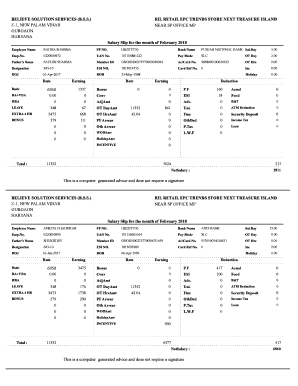
Get Believe Solution Services Salary Slip
How it works
-

Open form follow the instructions
-

Easily sign the form with your finger
-

Send filled & signed form or save
How to fill out the Believe Solution Services Salary Slip online
Completing the Believe Solution Services Salary Slip online is a straightforward process. This guide provides clear, step-by-step instructions to ensure you fill out the form accurately and effectively.
Follow the steps to complete your salary slip accurately.
- Press the ‘Get Form’ button to access the salary slip form. This will allow you to open the form in your online editor.
- Fill in the employee name in the designated field. Ensure that the name matches the records for accurate identification.
- Enter the PF number accurately to maintain compliance with the provident fund regulations.
- Specify the bank name where the salary will be deposited, ensuring it is an active account for seamless processing.
- Indicate the salary day, which signifies when the salary is processed for that month.
- Enter the employee number, which is unique to each individual within the organization.
- Provide the UAN number, an important aspect for tracking employee provident fund details.
- Select the payment mode from the available options to ensure the correct disbursement method.
- Fill in the details for overtime (OT), including any overtime days and hours worked.
- Complete the father’s name field with the name of the employee's father or guardian, as per company policy.
- Indicate the member ID. This is essential for identification within the provident fund system.
- For the account/card number, enter the accurate account number linked to the salary deposits.
- Fill in the designation of the employee and ensure it matches your role within the organization.
- Enter the ESI number provided to you and verify its accuracy.
- Document the date of joining (DOJ) and date of birth (DOB) for employee records.
- Input the details regarding various earnings and deductions. This includes basic pay, allowances, deductions for PF, ESI, and any other relevant deductions.
- Review the net salary calculated at the bottom of the form to ensure all calculations are correct and reflect your earnings accurately.
- Once all fields are completed, save the changes, download the form, and print or share as required.
Complete the Believe Solution Services Salary Slip online today to ensure you receive your accurate remuneration.
However, there are some easy ways for you to make your own payslips. The easiest way is to use something like Microsoft Excel. The spreadsheets allow you to create a custom payslip. And once you figure out how you're going to create them, it becomes as easy as inputting a few details each pay period.
Industry-leading security and compliance
US Legal Forms protects your data by complying with industry-specific security standards.
-
In businnes since 199725+ years providing professional legal documents.
-
Accredited businessGuarantees that a business meets BBB accreditation standards in the US and Canada.
-
Secured by BraintreeValidated Level 1 PCI DSS compliant payment gateway that accepts most major credit and debit card brands from across the globe.