Loading
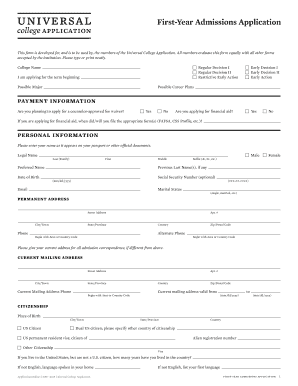
Get Download - Universal College Application
How it works
-

Open form follow the instructions
-

Easily sign the form with your finger
-

Send filled & signed form or save
How to fill out the Download - Universal College Application online
This guide provides comprehensive instructions on completing the Download - Universal College Application online. By following this step-by-step process, users can accurately fill out the application and enhance their chances of admission.
Follow the steps to successfully complete your application.
- Click ‘Get Form’ button to obtain the form and open it in your preferred editing tool.
- Enter your legal name as it appears on official documents, including last name, first name, and middle name. Include a preferred name if applicable.
- Input your date of birth in the format mm/dd/yyyy and provide an email address for future correspondence.
- Fill out the permanent address section with your complete street address, city, state, country, and zip code. Include an alternate phone number if available.
- Provide information about your citizenship status and place of birth. Indicate if you are a U.S. citizen or a permanent resident.
- Complete the ethnicity section by indicating if you identify as Hispanic or Latino and selecting any applicable racial backgrounds.
- Provide details regarding your parent or guardian, including their names, addresses, and professional information.
- Input your academic information, including current school details, CEEB code, and date of graduation.
- List any previous high schools or colleges attended along with the dates and locations.
- Document any standardized test scores. Indicate the test name, date, and scores earned.
- Provide information on extracurricular activities, employment, and academic distinctions you have obtained.
- Compose a personal statement (650 words or fewer) addressing a topic that showcases your communication skills.
- Review the discipline information section and declare any relevant incidents from your academic history.
- Complete the authorization section by signing and dating the application, confirming the accuracy of the information provided.
- Once all information is entered and reviewed for accuracy, save changes, download, print, or share the completed form as needed.
Begin your college application journey by completing the Download - Universal College Application online.
If you see “submitted,” that means your counselor has sent the report. When you see “downloaded” that means the college has downloaded it into its system. Check the Review and Submit tab to determine if the application has been submitted successfully.