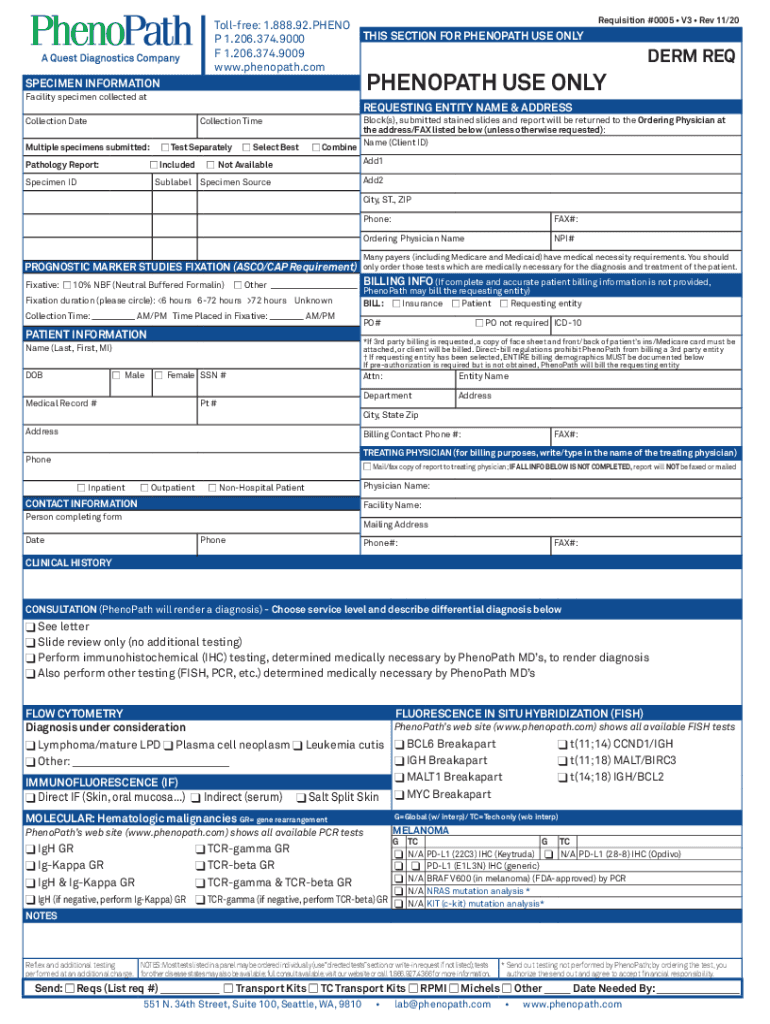
Toll free: 1.888.92.PHENOL P 1.206.374.9000 F 1.206.374.9009 www.phenopath.comRequisition #0005 V3 Rev 11/20THIS SECTION FOR ADENOPATHY USE OLDER REQPHENOPATH USE ONLYSPECIMEN INFORMATION Facility.

Open form follow the instructions

Easily sign the form with your finger

Send filled & signed form or save
How to fill out the WA PhenoPath Requisition 0005 online
This guide provides clear, step-by-step instructions on how to complete the WA PhenoPath Requisition 0005 online. Whether you are a healthcare professional or a user needing assistance, this comprehensive guide will help you navigate the form with ease.
Follow the steps to successfully complete the requisition form.
- Click ‘Get Form’ button to obtain the WA PhenoPath Requisition 0005 and open it in your preferred editor.
- Begin filling out the specimen information section by entering the facility where the specimen was collected, including the name and address.
- Specify the collection date and time, ensuring accuracy to assist in proper documentation.
- Indicate if you are submitting multiple specimens by checking the appropriate options for pathology reporting.
- Fill in the specimen ID and sublabel where applicable, and choose how the block(s), submitted stained slides, and report should be returned.
- Complete the prognostic marker studies fixation section, selecting the type of fixative and fixation duration as required.
- Provide patient information, ensuring to include their details accurately, such as date of birth and contact information.
- Specify the billing information, making sure to select whether to bill insurance, the patient, or the requesting entity, and provide the necessary details.
- Include the treating physician’s name for billing purposes and any necessary contact information for completing the form.
- Document the clinical history and consult options, choosing the appropriate tests and services needed.
- Review all sections to confirm the completeness and accuracy of the information entered.
- Finally, save changes, then download, print, or share the requisition form as needed.
Complete your PhenoPath requisition forms online with confidence!
Experience a faster way to fill out and sign forms on the web. Access the most extensive library of templates available.
Related content
by J Routh — A Study of Repotrectinib (TPX-0005) in Patients With Advanced Solid Tumors...
Central FISH assessment of HER2 amplification and polysomy 17 was conducted by PhenoPath...
Use professional pre-built templates to fill in and sign documents online faster. Get access to thousands of forms.
If you believe that this page should be taken down, please follow our DMCA take down process here.