Loading
Get Triwest Healthcare Alliance Pc3 - Initial Evaluation Report 2018-2026
How it works
-

Open form follow the instructions
-

Easily sign the form with your finger
-

Send filled & signed form or save
How to fill out the TriWest Healthcare Alliance PC3 - Initial Evaluation Report online
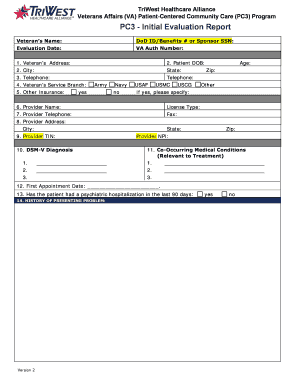
Filling out the TriWest Healthcare Alliance PC3 - Initial Evaluation Report is an essential step in providing comprehensive care for veterans. This guide will help you navigate the form online, ensuring all necessary information is accurately captured.
Follow the steps to complete the evaluation report efficiently.
- Click ‘Get Form’ button to obtain the form and open it in the editor.
- Enter the veteran’s name clearly in the designated field to ensure proper identification.
- Fill in the DoD ID/Benefits # or Sponsor SSN. This is crucial for verifying the veteran's eligibility and benefits.
- Record the evaluation date in the appropriate section. Ensure this date reflects when the evaluation is performed.
- Input the VA authorization number, which is necessary for processing this report.
- Provide the veteran’s address, ensuring it is complete with city, state, and zip code.
Complete the evaluation report online today to ensure timely and effective care for veterans.
TriWest is VA's third party administrator for CCN Regions 4 and 5. CCN covers all U.S. states and territories with an established set of regional boundaries aligned to state borders to provide local flexibility and increased access to care.