Loading
Get Au Su631 2014
How it works
-

Open form follow the instructions
-

Easily sign the form with your finger
-

Send filled & signed form or save
How to fill out the AU SU631 online
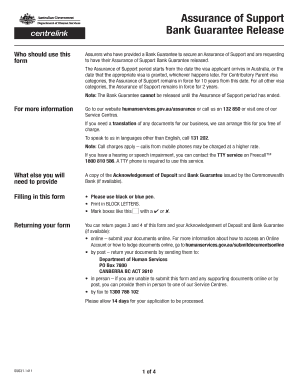
The AU SU631 form is essential for assurers seeking to have their Assurance of Support Bank Guarantee released. This guide will provide step-by-step instructions to help you complete the form accurately and efficiently online.
Follow the steps to complete the AU SU631 form online.
- Click the ‘Get Form’ button to obtain the AU SU631 document and open it for editing.
- Begin with section 1, providing your name and details of the primary visa applicant. Make sure to enter the family name, first and second given names, date of birth, and visa subclass accurately.
- Move to section 2, where you will input your date of birth and indicate your sex. Ensure the information matches your official identification.
- In section 3, input your permanent address and postal address if it differs from your permanent address. Include the corresponding postcode.
- Complete section 4 with your Centrelink Reference Number, if known, along with your contact details including work and mobile phone numbers.
- Proceed to section 5 to answer questions regarding any children included in your visa application and if you applied for the Assurance of Support jointly with other assurers.
- Fill in section 6 with details of any term deposits lodged as security for the Bank Guarantee. Include the branch number, account number, amount, and the name(s) on the account.
- In section 7, provide your declaration stating that all information is complete and correct. Sign and date the form at the bottom.
- Once completed, ensure to save your changes. You may download, print, or share the form as needed.
Start completing the AU SU631 form online today to ensure your Assurance of Support Bank Guarantee is processed promptly.
Get form
Experience a faster way to fill out and sign forms on the web. Access the most extensive library of templates available.
Get This Form Now!
Use professional pre-built templates to fill in and sign documents online faster. Get access to thousands of forms.