Loading
Get Mi Dot Mi-1041d 2022-2026
How it works
-

Open form follow the instructions
-

Easily sign the form with your finger
-

Send filled & signed form or save
How to fill out the MI DoT MI-1041D online
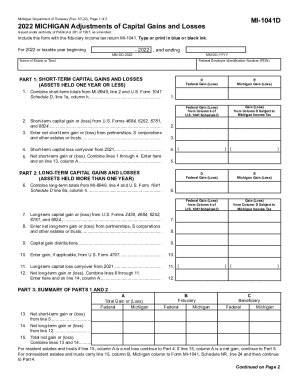
This guide provides you with clear, step-by-step instructions on how to fill out the MI DoT MI-1041D form online. The MI-1041D is essential for adjusting capital gains and losses for estates or trusts in Michigan, ensuring accurate reporting for tax purposes.
Follow the steps to fill out the MI DoT MI-1041D effectively.
- Press the ‘Get Form’ button to access the form and open it in your preferred digital format.
- Enter the name of the estate or trust at the top of the form, followed by the Federal Employer Identification Number (FEIN). This identification is essential for processing your tax adjustments.
- In Part 1, provide the combined short-term totals from MI-8949 and U.S. Form 1041 Schedule D as indicated, filling in the necessary fields for short-term capital gains and losses.
- Continue to Part 2 to enter long-term capital gains and losses, following the same procedure for gathering data from related federal forms.
- In Part 3, summarize the totals from Parts 1 and 2, ensuring accuracy in calculations while distributing shares between the fiduciary and beneficiaries as directed.
- If applicable, complete Part 4 to compute capital loss limitations, determining if losses exceed $3,000 and adjusting accordingly.
- Review Part 5 for adjustments specific to resident estates or trusts, entering gains and losses based on your figures.
- Finally, if there are carryovers, fill in Part 6 to calculate amounts to be carried over to the following tax year.
- Once all sections are filled out, carefully review your entries for accuracy. You can then save the changes, download, print, or share the form as needed.
Complete your MI DoT MI-1041D online today for accurate tax reporting.