Loading
Get Ca Ftb 3582 2022-2026
How it works
-

Open form follow the instructions
-

Easily sign the form with your finger
-

Send filled & signed form or save
How to fill out the CA FTB 3582 online
This guide provides clear, step-by-step instructions on how to accurately complete the CA FTB 3582, Payment Voucher for Individual e-filed Returns. Whether you have experience with tax forms or are filling this out for the first time, this resource will assist you in ensuring your form is properly completed.
Follow the steps to accurately complete the CA FTB 3582 online.
- Click the ‘Get Form’ button to obtain the form and access it for editing.
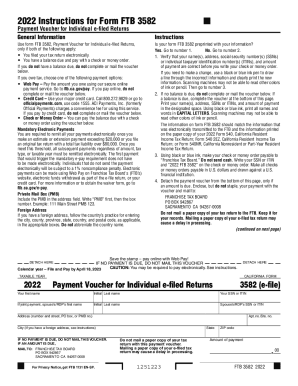
- If the form is preprinted with your information, verify that your name, address, social security number (SSN) or individual taxpayer identification number (ITIN), and amount of payment are all correct. If corrections are needed, use a black or blue ink pen to cross out the incorrect information and write the correct data.
- Make your check or money order payable to 'Franchise Tax Board.' Do not send cash, and include your SSN or ITIN and '2022 FTB 3582' on your payment. Ensure that it is in U.S. dollars and issued by a U.S. financial institution.
- Detach the payment voucher from the bottom of the form if an amount is due. Place your payment with the voucher, but do not staple it. Mail it to the Franchise Tax Board at the address provided.
- If no balance is due, do not mail the voucher. Keep your tax return for your records, and remember to pay electronically if required by future transactions.
Complete your CA FTB 3582 online today for a seamless filing experience.