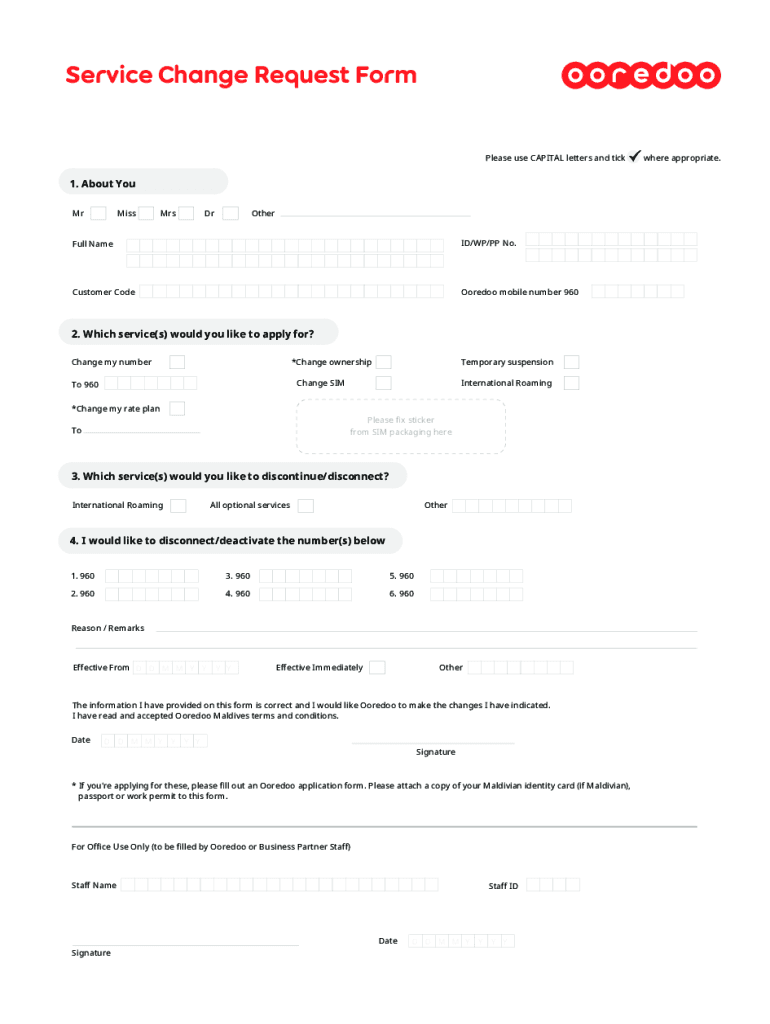
Service Change Request Formulas use CAPITAL letters and tick1. About You MrMissMrsDrOtherFull Named/WP/PP No. Customer CodeOoredoo mobile number 9602. Which service(s) would you like to apply for?.
Loading

Open form follow the instructions

Easily sign the form with your finger

Send filled & signed form or save
How to fill out the MV Ooredoo Service Change Request Form online
The MV Ooredoo Service Change Request Form is an essential document for users seeking to modify their service plans or personal details with Ooredoo. This guide provides a detailed and user-friendly approach to completing the form online, ensuring a smooth process for all users.
Follow the steps to successfully complete the form.
- Press the ‘Get Form’ button to access the form and open it in your preferred online editor.
- In the 'About You' section, indicate your title by checking the appropriate box (Mr, Miss, Mrs, Dr, or Other). Then, enter your full name, ID/WP/PP number, customer code, and your Ooredoo mobile number.
- Next, navigate to the 'Which service(s) would you like to apply for?' section. Here, select the services that apply to you by checking the relevant boxes for options such as 'Change ownership,' 'Change my number,' or 'Change SIM.' Provide any necessary information in the space provided.
- Proceed to the section asking 'Which service(s) would you like to discontinue/disconnect?' Indicate which services you wish to discontinue by selecting the appropriate options.
- In the section labeled 'I would like to disconnect/deactivate the number(s) below,' list the numbers you wish to deactivate by filling in the appropriate fields.
- Provide a reason or any remarks for the changes in the 'Reason / Remarks' section if necessary. Specify the effective date of the changes by filling in the 'Effective From' date field.
- Confirm that the information you provided is accurate by reviewing the statement about the correctness of the information. Check to agree to Ooredoo Maldives terms and conditions, and date the form.
- You may also provide your signature in the designated area.
- Finally, save your changes, download, print, or share the completed form as needed for your records or submission.
Start filling out your MV Ooredoo Service Change Request Form online today!
Experience a faster way to fill out and sign forms on the web. Access the most extensive library of templates available.
Related content
Form N-CSR is to be used by management investment companies to file reports with ... You...
Cited by 9 — Asynchronous service delivery using accessible ICT and parents as agents of...
Get answers to your most pressing questions about US Legal Forms API.
What is the customer care number of Ooredoo Maldives?
If we use your personal information to contact you and you do not want to receive information from us or for us to contact you, please contact us at: care@ooredoo.mv or call us at 929.
What is the phone number of Orido helpline?
For any further help, kindly contact us by Calling 1500 or +968-95011500 if you are abroad.
Use professional pre-built templates to fill in and sign documents online faster. Get access to thousands of forms.
If you believe that this page should be taken down, please follow our DMCA take down process here.