Loading
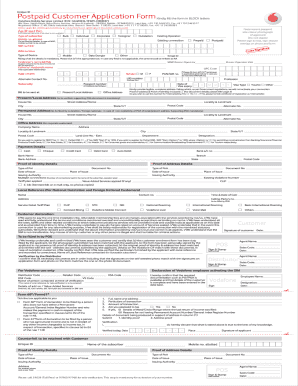
Get India Vodafone Postpaid Customer Application Form 2016-2026
How it works
-

Open form follow the instructions
-

Easily sign the form with your finger
-

Send filled & signed form or save
How to fill out the India Vodafone Postpaid Customer Application Form online
Filling out the India Vodafone Postpaid Customer Application Form online is an essential step for users seeking to obtain postpaid mobile services. This guide provides detailed, step-by-step instructions to help users accurately complete the form and ensure a smooth application process.
Follow the steps to successfully complete the application form.
- Click the ‘Get Form’ button to access the Indonesia Vodafone Postpaid Customer Application Form. Ensure you have a stable internet connection to avoid interruptions.
- Begin filling out your personal information in the form. This includes full name, contact details, and address. Ensure all information is accurate and up-to-date.
- You will be asked to provide your Aadhaar number (UID number). If you do not have this number, simply write 'NA' in the corresponding field.
- Next, indicate your MNP (mobile number portability) donor operator by selecting from the list provided. This is necessary for existing users wishing to switch their operator.
- Enter your UPC (unique portability code) which can be obtained by contacting your current operator. This code is necessary for the activation of your number.
- Complete any additional fields as requested, ensuring to provide any required attachments for identity and address proof. Refer to the document for a list of accepted forms of identification.
- Once you have filled in all applicable fields, carefully review all the information entered to ensure accuracy. Correct any errors before final submission.
- After confirming that all details are correct, you can choose to save your changes, download a copy of the form for your records, print it, or share it as needed.
Complete your application form online today to enjoy Vodafone's postpaid services!
The billing address can be changed by visiting the local Vodafone store. The billing address can be changed by requesting the customer care of Vodafone. In both the cases, there will be a visit by the company's person to reverify it.