Loading
Get Ca Ftb 3519 2022
How it works
-

Open form follow the instructions
-

Easily sign the form with your finger
-

Send filled & signed form or save
How to fill out the CA FTB 3519 online
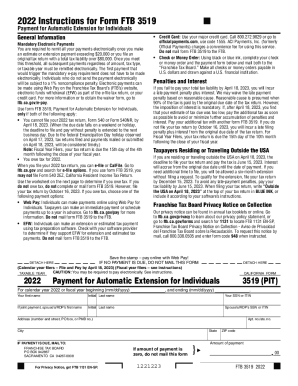
Filling out the CA FTB 3519 form online is essential for individuals who need an automatic extension for their tax return. This guide provides a comprehensive step-by-step approach to help you navigate each section of the form with ease.
Follow the steps to successfully complete the CA FTB 3519.
- Click the ‘Get Form’ button to access the form and open it in your chosen editing tool.
- Begin by entering your first name, middle initial, and last name in the designated fields. This should match the name on your tax documents.
- Provide your Social Security Number (SSN) or Individual Taxpayer Identification Number (ITIN) in the appropriate section.
- If applicable, enter your spouse’s or registered domestic partner's first name, middle initial, last name, and their SSN or ITIN.
- Fill in your mailing address including street number, apartment or suite number, city, state, and ZIP code.
- Indicate the amount of payment you are submitting, if any, by entering the total in the ‘Amount of payment’ field.
- Complete the tax payment worksheet to estimate your tax liability and determine if you owe any tax. If you find that you do not owe tax, you do not need to submit this form.
- Review all entries for accuracy and ensure that any required calculations are completed correctly.
- If payment is due, complete your check or money order using black or blue ink, and ensure to mail it alongside this form to the Franchise Tax Board if you are not paying electronically.
- Finally, save any changes made to your form, and if applicable, choose to download, print, or share your completed form as needed.
Complete your CA FTB 3519 form online to ensure timely submission and avoid any penalties.
Get form
Experience a faster way to fill out and sign forms on the web. Access the most extensive library of templates available.
The CA 3519, Payment for Automatic Extension for Individuals, is both an extension and a payment. It is labeled 3519-V in View. File it only if the taxpayer's return cannot be filed by the original due date and tax is owed. Form 3519 need not be filed if tax is not owed - a six-month extension is automatically granted.
Get This Form Now!
Use professional pre-built templates to fill in and sign documents online faster. Get access to thousands of forms.
Industry-leading security and compliance
US Legal Forms protects your data by complying with industry-specific security standards.
-
In businnes since 199725+ years providing professional legal documents.
-
Accredited businessGuarantees that a business meets BBB accreditation standards in the US and Canada.
-
Secured by BraintreeValidated Level 1 PCI DSS compliant payment gateway that accepts most major credit and debit card brands from across the globe.