Loading
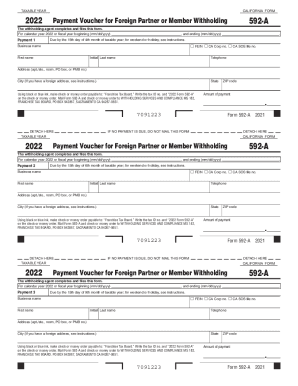
Get Ca Ftb 592-a 2022
How it works
-

Open form follow the instructions
-

Easily sign the form with your finger
-

Send filled & signed form or save
How to fill out the CA FTB 592-A online
Filling out the CA FTB 592-A form online is a straightforward process designed for withholding agents. This guide provides detailed steps to assist you in accurately completing the form for the 2022 tax year.
Follow the steps to complete the form successfully.
- Click the ‘Get Form’ button to access the CA FTB 592-A form and open it in your preferred document editor.
- Indicate the taxable year by selecting '2022'. Enter the beginning and ending dates of the fiscal year in the designated fields.
- Complete the payment section by entering the payment number and due date. Payments are divided into four, each with specific deadlines.
- Provide the required identification numbers such as FEIN, CA Corp number, or CA SOS file number to verify your business entity.
- Enter the business name, first name, initial, and last name of the withholding agent. Include a valid telephone number.
- Fill in the address fields including apartment/ste., city, state, and ZIP code. For users with a foreign address, be sure to follow the specific instructions provided.
- Specify the amount of payment you are submitting. Ensure that this amount is consistent with the withholding obligations.
- Prepare your payment by making a check or money order payable to 'Franchise Tax Board'. Write your tax ID number and '2022 Form 592-A' on it.
- After filling out the form, review all entered information for accuracy, then save the changes. You can download, print, or share the completed form as needed.
Complete your CA FTB 592-A form online today to ensure timely submission and compliance.
Get form
Experience a faster way to fill out and sign forms on the web. Access the most extensive library of templates available.
Related links form
The California backup withholding rate is 7% of the payment. For California purposes, dividends, interests, and any financial institutions release of loan funds made in the normal course of business are exempt from backup withholding.
Get This Form Now!
Use professional pre-built templates to fill in and sign documents online faster. Get access to thousands of forms.