Loading
Form preview
  • US Legal Forms
  • Other Templates
  • More Forms
  • More Multi-State Forms
  • Irs Instruction 1040 - Schedule Se 2022

Get Irs Instruction 1040 - Schedule Se 2022-2026

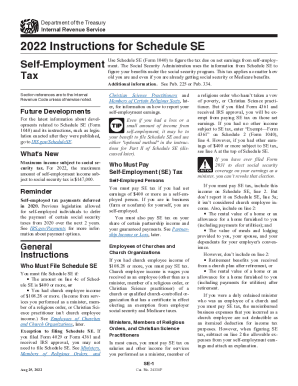
Department of the Treasury Internal Revenue Service2022 Instructions for Schedule SE SelfEmployment TaxUse Schedule SE (Form 1040) to figure the tax due on net earnings from selfemployment. The Social.

How it works

  1. Open form

    Open form follow the instructions

  2. Easily sign form

    Easily sign the form with your finger

  3. Share form

    Send filled & signed form or save

How to fill out the IRS Instruction 1040 - Schedule SE online

Filling out the IRS Instruction 1040 - Schedule SE is crucial for accurately reporting self-employment income and calculating the self-employment tax. This guide provides clear, step-by-step instructions to help users complete the form online with confidence.

Follow the steps to complete Schedule SE online.

  1. Click ‘Get Form’ button to obtain the form and open it in the editor.
  2. Begin by entering your personal information at the top of the form, including your name and Social Security number. Ensure all details are correctly matched with your previous tax documents.
  3. Proceed to Part I of the form, where you will report your net earnings from self-employment. Use your Schedule C or F to determine the amount to include.
  4. If you are only reporting church employee income, skip relevant lines and directly enter -0- on line 4c to proceed to section 5.
  5. For self-employment income from other sources, ensure you accurately calculate and enter the required figures on lines 1a, 1b, and 2 based on the income derived.
  6. If applicable, analyze whether you need to file for the Additional Medicare Tax based on the total from line 6 of all your Schedules SE.
  7. Complete Part II if you are using optional methods to calculate the net earnings. Choose the method that best applies to your situation (farm or nonfarm optional method).
  8. After entering all necessary data, review the completed form for accuracy. Make any needed adjustments to ensure compliance with IRS guidelines.
  9. Finalize your document by saving the changes. You can then download, print, or share the completed form for your records.

Start completing your IRS Instruction 1040 - Schedule SE online today.

Get form

Experience a faster way to fill out and sign forms on the web. Access the most extensive library of templates available.
Get form

Related content

2022 Instructions for Schedule SE...
Aug 25, 2022 — Use Schedule SE (Form 1040) to figure the tax due on net earnings from...
Learn more
Instructions for Form 1040-NR | 2022 - IRS
Jan 10, 2023 — You will need to complete the applicable items on Schedule OI (Form...
Learn more
2019 Instructions for Schedule SE...
Jul 23, 2019 — Use Schedule SE (Form 1040 or 1040-SR) to figure the tax due on net...
Learn more

Related links form

How The Common Core Works Series 2013 Jim Wright Action Verbs - Education World Inc CANCELLATION FORM - Bupa SALE CONTRACT COUNTEROFFER 1 Initiated By Seller Or Buyer

Questions & Answers

Get answers to your most pressing questions about US Legal Forms API.

Contact support

The self-employment tax rate for 2022-2023 As noted, the self-employment tax rate is 15.3% of net earnings. That rate is the sum of a 12.4% Social Security tax and a 2.9% Medicare tax on net earnings.

You must pay SE tax if you had net earnings of $400 or more as a self-employed person. If you are in business (farm or nonfarm) for yourself, you are self-employed. You must also pay SE tax on your share of certain partnership income and your guaranteed payments.

You will file the form annually with your individual income tax return (Form 1040). When you file Form 1040, you will attach your completed Schedule SE to it. You also need to copy some information from Schedule SE onto your Form 1040. Form 1040 is due on April 15, meaning your attached Schedule SE is also due by then.

You must pay SE tax if you had net earnings of $400 or more as a self-employed person. If you are in business (farm or nonfarm) for yourself, you are self-employed. You must also pay SE tax on your share of certain partnership income and your guaranteed payments.

The net income information on Schedule C is used to determine the amount of self-employment tax you owe for Social Security and Medicare taxes. Schedule SE is used to calculate the self-employment tax amount.

The net income information on Schedule C is used to determine the amount of self-employment tax you owe for Social Security and Medicare taxes. Schedule SE is used to calculate the self-employment tax amount.

SE tax background Generally, if you're a member of a partnership — including an LLC taxed as a partnership — that conducts a trade or business, you're considered self-employed. General partners pay SE tax on all their business income from the partnership, whether it's distributed or not.

Use Schedule SE (Form 1040) to figure the tax due on net earnings from self-employment. The Social Security Administration uses the information from Schedule SE to figure your benefits under the social security program.

Get This Form Now!

Use professional pre-built templates to fill in and sign documents online faster. Get access to thousands of forms.
Get form
If you believe that this page should be taken down, please follow our DMCA take down processhere.
Get IRS Instruction 1040 - Schedule SE
Get form
  • Adoption
  • Bankruptcy
  • Contractors
  • Divorce
  • Home Sales
  • Employment
  • Identity Theft
  • Incorporation
  • Landlord Tenant
  • Living Trust
  • Name Change
  • Personal Planning
  • Small Business
  • Wills & Estates
  • Packages A-Z
  • Affidavits
  • Bankruptcy
  • Bill of Sale
  • Corporate - LLC
  • Divorce
  • Employment
  • Identity Theft
  • Internet Technology
  • Landlord Tenant
  • Living Wills
  • Name Change
  • Power of Attorney
  • Real Estate
  • Small Estates
  • Wills
  • All Forms
  • Forms A-Z
  • Other Templates
  • Legal Hub
  • About Us
  • Help Portal
  • Legal Resources
  • Blog
  • Affiliates
  • Contact Us
  • Delete My Account
  • Site Map
  • Industries
  • Forms in Spanish
  • Localized Forms
  • State-specific Forms
  • Forms Kit
  • Real Estate Handbook
  • All Guides
  • Notarize
  • Incorporation services
  • For Consumers
  • For Small Business
  • For Attorneys
  • USLegal
  • FormsPass
  • pdfFiller
  • signNow
  • altaFlow
  • DocHub
  • Instapage
Form Packages
  • Adoption
  • Bankruptcy
  • Contractors
  • Divorce
  • Home Sales
  • Employment
  • Identity Theft
  • Incorporation
  • Landlord Tenant
  • Living Trust
  • Name Change
  • Personal Planning
  • Small Business
  • Wills & Estates
  • Packages A-Z
Form Categories
  • Affidavits
  • Bankruptcy
  • Bill of Sale
  • Corporate - LLC
  • Divorce
  • Employment
  • Identity Theft
  • Internet Technology
  • Landlord Tenant
  • Living Wills
  • Name Change
  • Power of Attorney
  • Real Estate
  • Small Estates
  • Wills
  • All Forms
  • Forms A-Z
  • Other Templates
Customer Service
  • Legal Hub
  • About Us
  • Help Portal
  • Legal Resources
  • Blog
  • Affiliates
  • Contact Us
  • Delete My Account
  • Site Map
  • Industries
  • Forms in Spanish
  • Localized Forms
  • State-specific Forms
  • Forms Kit
Legal Guides
  • Real Estate Handbook
  • All Guides
Prepared for you
  • Notarize
  • Incorporation services
Our Customers
  • For Consumers
  • For Small Business
  • For Attorneys
Our Sites
  • USLegal
  • FormsPass
  • pdfFiller
  • signNow
  • altaFlow
  • DocHub
  • Instapage
Social Media
Call us now toll free:
+1 833 426 79 33
As seen in:
© Copyright 1999-2026 airSlate Legal Forms, Inc. 17 Station Street, Ste. 203, Brookline, MA 02445
  • Your Privacy Choices
  • Terms of Service
  • Privacy Notice
  • Content Takedown Policy
  • Bug Bounty Program