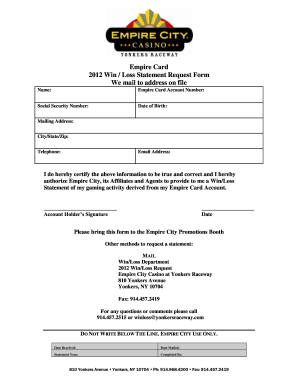
Get Empire City Casino 2012 Win/loss Statement Request Form 2012-2026
How it works
-

Open form follow the instructions
-

Easily sign the form with your finger
-

Send filled & signed form or save
How to fill out and sign Empire City Casino 2012 Win/Loss Statement Request Form online?
Get your online template and fill it in using progressive features. Enjoy smart fillable fields and interactivity.Follow the simple instructions below:The era of troubling intricate legal and tax documents is finished. With US Legal Forms, submitting legal paperwork is stress-free. A powerful editor is readily accessible, providing you with an extensive range of helpful tools for completing an Empire City Casino 2012 Win/Loss Statement Request Form. The following suggestions, along with the editor, will assist you throughout the entire process.
We simplify the process of completing any Empire City Casino 2012 Win/Loss Statement Request Form. Start now!
- Click on the orange Get Form button to begin filling out.
- Enable the Wizard mode in the upper toolbar for additional guidance.
- Complete each fillable section.
- Ensure that the information you provide in the Empire City Casino 2012 Win/Loss Statement Request Form is current and accurate.
- Incorporate the date into the form using the Date tool.
- Utilize the Sign tool to create a digital signature. There are three options available: typing, drawing, or capturing one.
- Verify that every section has been filled out correctly.
- Click on Done in the top right corner to save or send the document. Various options are available for obtaining the document — as an instant download, an email attachment, or via postal mail as a hard copy.
Tips on how to fill out, edit and sign Empire City Casino 2012 Win/Loss Statement Request Form online
How to fill out and sign Empire City Casino 2012 Win/Loss Statement Request Form online?
Get your online template and fill it in using progressive features. Enjoy smart fillable fields and interactivity.Follow the simple instructions below:
The era of troubling intricate legal and tax documents is finished. With US Legal Forms, submitting legal paperwork is stress-free. A powerful editor is readily accessible, providing you with an extensive range of helpful tools for completing an Empire City Casino 2012 Win/Loss Statement Request Form. The following suggestions, along with the editor, will assist you throughout the entire process.
We simplify the process of completing any Empire City Casino 2012 Win/Loss Statement Request Form. Start now!
- Click on the orange Get Form button to begin filling out.
- Enable the Wizard mode in the upper toolbar for additional guidance.
- Complete each fillable section.
- Ensure that the information you provide in the Empire City Casino 2012 Win/Loss Statement Request Form is current and accurate.
- Incorporate the date into the form using the Date tool.
- Utilize the Sign tool to create a digital signature. There are three options available: typing, drawing, or capturing one.
- Verify that every section has been filled out correctly.
- Click on Done in the top right corner to save or send the document. Various options are available for obtaining the document — as an instant download, an email attachment, or via postal mail as a hard copy.
How to Edit Get Empire City Casino 2012 Win/Loss Statement Request Form 2012: Customize Forms Online
Utilize our powerful online document editor while finalizing your paperwork.
Fill out the Get Empire City Casino 2012 Win/Loss Statement Request Form 2012, specify the most crucial details, and effortlessly modify any other required changes to its substance.
Completing documentation digitally not only saves time but also provides an opportunity to adjust the template according to your requirements. If you’re preparing to work on the Get Empire City Casino 2012 Win/Loss Statement Request Form 2012, think about finalizing it with our advanced online editing tools. Whether you make a typographical error or enter the requested information in the incorrect section, you can swiftly make modifications to the form without needing to restart it from the outset as with traditional filling. Additionally, you can highlight vital information in your documentation by marking specific pieces of content with colors, underlining them, or encircling them.
Our advanced online solutions are the most efficient means to complete and tailor the Get Empire City Casino 2012 Win/Loss Statement Request Form 2012 according to your specifications. Use it to manage personal or business documentation from any location. Access it in a browser, implement any changes to your documents, and return to them at any future point - they will all be securely stored in the cloud.
- Open the document in the editor.
- Input the required details into the blank fields using Text, Check, and Cross tools.
- Follow the document navigation to ensure you don’t overlook any important fields in the template.
- Encircle some of the key details and insert a URL to them if needed.
- Utilize the Highlight or Line tools to emphasize the most significant facts.
- Select colors and thickness for these lines to enhance your template’s professionalism.
- Delete or obscure the information you wish to keep hidden from others.
- Correct erroneous content and type in the necessary text.
- Conclude modifications with the Done option once you verify that everything is accurate in the document.