Loading
Get Irs 1065 - Schedule K-2 2022-2026
How it works
-

Open form follow the instructions
-

Easily sign the form with your finger
-

Send filled & signed form or save
How to fill out the IRS 1065 - Schedule K-2 online
Filling out the IRS 1065 - Schedule K-2 is an essential process for partnerships engaged in international activities when reporting their distributive share items. This guide provides clear and supportive steps to navigate the online completion of this form accurately.
Follow the steps to complete the IRS 1065 - Schedule K-2 online.
- Click ‘Get Form’ button to access the form and open it in your preferred editor.
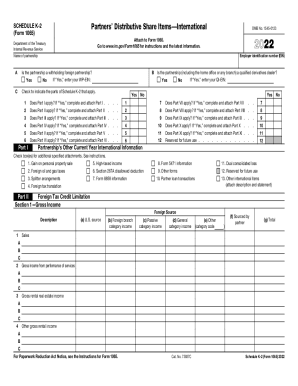
- Enter the employer identification number (EIN) and the name of the partnership in the designated fields.
- Indicate whether the partnership is a withholding foreign partnership by selecting 'Yes' or 'No' and provide the required WP-EIN if applicable.
- Check the appropriate boxes to signify which parts of Schedule K-2 apply to your partnership, completing each relevant part as instructed.
- For each applicable part, such as Part I through Part XI, enter the relevant details based on your partnership's international activities and earnings.
- Review and validate all entries to ensure accurate reporting of income, deductions, and other tax information as outlined in the form.
- Save your changes, and choose options to download, print, or share the completed form as needed.
Begin filling out your IRS 1065 - Schedule K-2 online today to ensure compliance and accurate reporting.