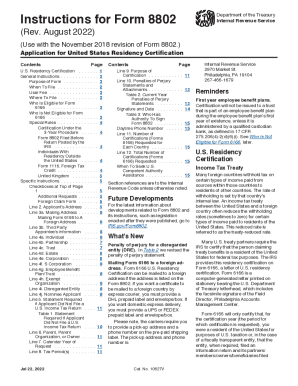
Instructions for Form 8802Department of the Treasury Internal Revenue Service(Rev. August 2022)(Use with the November 2018 revision of Form 8802.) Application for United States Residency Certification.

How it works
  • Open form

    Open form follow the instructions

  • Easily sign form

    Easily sign the form with your finger

  • Share form

    Send filled & signed form or save

How to fill out the IRS Instructions 8802 online

Filling out the IRS Instructions 8802 online is a crucial step for individuals and entities seeking U.S. residency certification for tax purposes. This guide provides a clear and structured approach to navigating the application process effectively and accurately.

Follow the steps to complete the IRS Instructions 8802 online.

  1. Click ‘Get Form’ button to access the document and open it for editing.
  2. Carefully read the general instructions provided in the document to understand the purpose of Form 8802 and any eligibility requirements.
  3. Input your name and Taxpayer Identification Number (TIN) in the designated fields, ensuring it matches your most recent tax return.
  4. Enter your address for the calendar year of the request; do not use a P.O. box.
  5. If you wish to send Form 6166 to a third party, include their information and provide written authorization in the appropriate sections.
  6. Indicate the type of applicant: Individual, Partnership, Trust, Corporation, etc., from the options available.
  7. Complete the calendar year and tax period(s) for which you are requesting certification, providing the appropriate dates.
  8. Specify the purpose of your request under line 9 and ensure it adheres to the guidelines for treaty benefits or VAT exemptions.
  9. Fill in the penalties of perjury statements as required in line 10 and ensure they are signed and dated appropriately.
  10. Review all entries for accuracy and completeness before submitting your form.
  11. Save your changes once you have completed the form; you can then download, print, or share the application as needed.

Complete your IRS Instructions 8802 online today for a seamless application process!

Get form

Experience a faster way to fill out and sign forms on the web. Access the most extensive library of templates available.

Related content

Instructions for Form 8802 (Rev. August 2022)...

Instructions for Form 8802. (Rev. August 2022). (Use with the November 2018 revision of...

Learn more
Instructions for Form 8802, application for United...

Instructions for Form 8802, application for United States residency certification. Author:...

Learn more
Form 8802 (Rev. April 2012) F8802...

Form 8802 Application for United States Residency Certification (Rev. April 2012)...

Learn more
Questions & Answers

Get answers to your most pressing questions about US Legal Forms API.

Contact support

How much does it cost to file form 8802?

Requests by individual applicants. The user fee for a request by an individual applicant is $85 per Form 8802, regardless of the number of countries for which certification is requested or the number of tax year(s) to which the certification applies.

The U.S Tax Residency Certificate is obtained through Form 8802, which has much more complex instructions and must be submitted with an $85 fee. Be sure to submit Form 8802 at least 45 days before you need the certificate. If there are any issues or delays with Form 8802, the IRS will contact you after 30 days.

Can I submit form 8802 online? Unfortunately, you cannot file Form 8802 through TurboTax - it must be mailed separately to the IRS along with payment for a user fee.

You can call 267-941-1000 (not a toll-free number) and select the U.S. residency option if you have questions regarding your application.

The U.S Tax Residency Certificate is obtained through Form 8802, which has much more complex instructions and must be submitted with an $85 fee. Be sure to submit Form 8802 at least 45 days before you need the certificate. If there are any issues or delays with Form 8802, the IRS will contact you after 30 days.

Fax - If the user fee payment is made electronically, you can fax up to 10 Forms 8802 (including all required attachments) for a maximum of 100 pages to the fax numbers below. You must use a fax cover sheet stating the number of pages included in the transmission.

The IRS Document Upload Tool enables digital correspondence with the taxpayer by providing a URL and a time-limited unique access code to a specific taxpayer so they can upload their documents to the IRS.

Instructions on How to Fill Out Form 8802 Enter the applicant's name and TIN exactly as they appear on the U.S. return filed for the tax period(s) for which you are requesting the certificate. Line 2: Fill out the applicant's address. Line 3a: Fill out the applicant's mailing address where Form 6166 can be sent to.

Get This Form Now!

Use professional pre-built templates to fill in and sign documents online faster. Get access to thousands of forms.

If you believe that this page should be taken down, please follow our DMCA take down process here.

Get IRS Instructions 8802