Loading
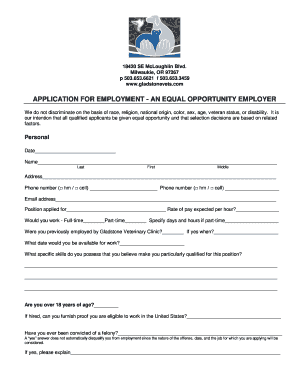
Get Or Gladstone Veterinary Clinic Application For Employment
How it works
-

Open form follow the instructions
-

Easily sign the form with your finger
-

Send filled & signed form or save
How to use or fill out the OR Gladstone Veterinary Clinic Application For Employment online
Completing the OR Gladstone Veterinary Clinic Application For Employment online can be a straightforward process when you have clear instructions. This guide will provide you with step-by-step guidance to ensure that you accurately fill out every section of the application.
Follow the steps to complete your application online.
- Click ‘Get Form’ button to obtain the form and open it in the editor.
- Begin by entering the date at the top of the application form. This records when you are submitting your application.
- Fill in your address. Provide your complete residential address, including street, city, state, and zip code for correspondence.
- Enter your email address to ensure the employer can contact you electronically.
- Specify your availability by selecting full-time or part-time and providing specific days and hours if you choose part-time.
- Indicate your available start date and outline any specific skills you believe qualify you for this position.
- Disclose any felony convictions, noting that this does not automatically disqualify you from employment.
- List your last four employers in the required format, detailing job titles, business addresses, supervisors, wages, dates of employment, reasons for termination, and descriptions of duties.
- Document any professional or civic organization memberships, limiting them to non-religious, non-racial, or non-nationality groups.
- Authorize the clinic to conduct reference checks by answering the relevant questions.
- Finally, you will need to sign and date the application, certifying that your answers are true and complete.
Start filling out the OR Gladstone Veterinary Clinic Application For Employment online today!