Loading
Get Ny Pt-350-i 2022-2026
How it works
-

Open form follow the instructions
-

Easily sign the form with your finger
-

Send filled & signed form or save
How to fill out the NY PT-350-I online
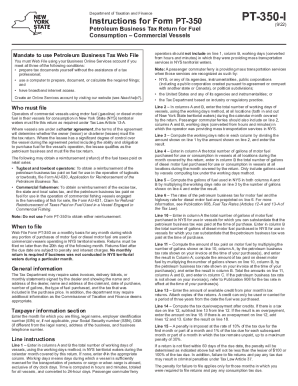
The NY PT-350-I is a vital form for operators of commercial vessels in New York State that use motor and diesel fuel. Properly completing this form ensures compliance with tax regulations while also allowing operators to report their fuel consumption efficiently.
Follow the steps to complete the NY PT-350-I online:
- Press the ‘Get Form’ button to access the NY PT-350-I form online and open it in the designated editor.
- Enter the month for which you are filing in the appropriate field.
- Provide the legal name of the business, the employer identification number (EIN) or Social Security number (SSN) if applicable, as well as the Doing Business As (DBA) name if different from the legal name.
- Fill in the address and business telephone number accurately.
- Proceed to Line 1 and enter the total number of working days of vessels used in New York State territorial waters during the covered month.
- In Line 2, report the total number of working days for vessels at all locations, including out-of-state, during the month.
- Calculate the working days ratio for Lines 3 by dividing the total from Line 1 by that from Line 2.
- For Line 4, input the total number of gallons of motor fuel purchased for use in vessels at all locations in the month.
- Complete Line 5 by calculating the gallons of fuel used in New York State, multiplying the working days ratio from Line 3 by the gallons from Line 4.
- Review and enter the preprinted tax rates in Line 6.
- For Line 10, document the gallons of motor fuel and diesel motor fuel purchased in New York for which the petroleum business tax was paid.
- In Line 11, compute the amount of tax paid on motor fuel and diesel fuel, respectively.
- Enter any available credits from prior month’s tax returns in Line 13.
- Determine the tax due or overpayment in Line 14, considering available credits.
- Record any penalties and interest charges in Lines 15 and 16 respectively.
- Calculate the total amount due in Line 17 and prepare for submission.
- If applicable, enter any overpayment on Line 18 and determine the credit for the next month on Line 19.
- Finally, compute any refund due on Line 20.
- Ensure all sections are complete, save changes, and download, print, or share the form as needed.
Complete your NY PT-350-I online to ensure timely and accurate tax reporting.