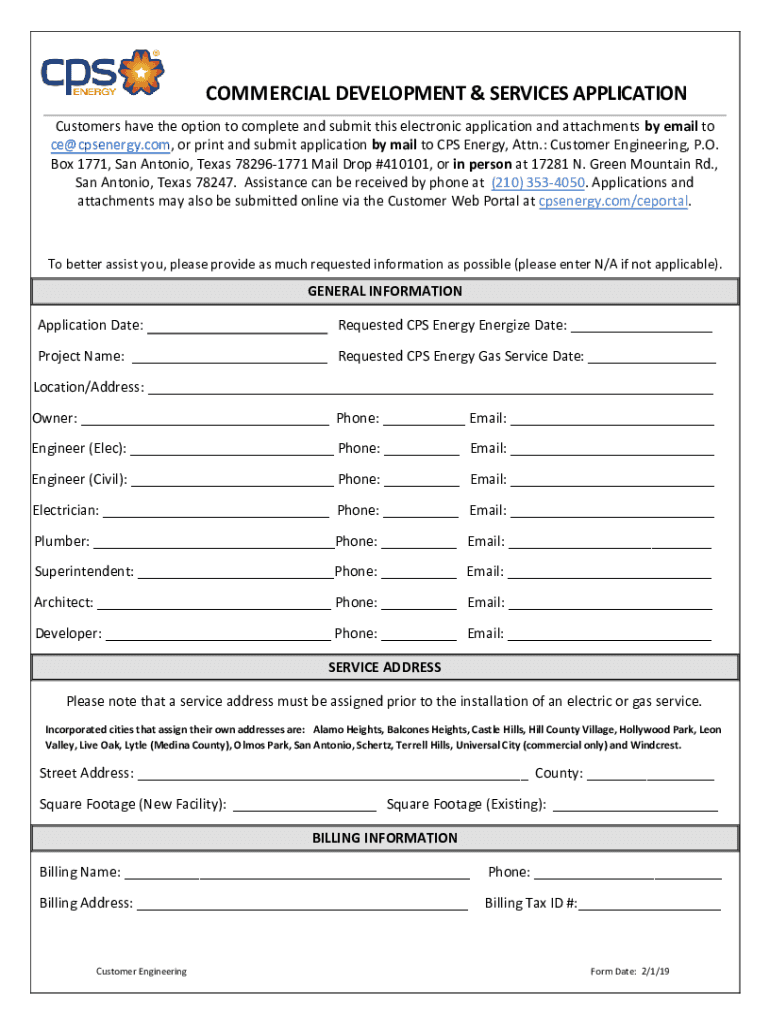
COMMERCIAL DEVELOPMENT & SERVICES APPLICATION Customers have the option to complete and submit this electronic application and attachments by email to ce cpsenergy.com, or print and submit application.

Open form follow the instructions

Easily sign the form with your finger

Send filled & signed form or save
How to fill out the TX CPS Energy Commercial Development & Service Application online
Completing the TX CPS Energy Commercial Development & Service Application online is a straightforward process designed to assist you in establishing your commercial service needs. This guide will provide you with clear, step-by-step instructions to ensure you fill out the form accurately and submit it seamlessly.
Follow the steps to fill out the application correctly.
- Use the ‘Get Form’ button to access the TX CPS Energy Commercial Development & Service Application. This will allow you to open the form in your preferred online environment.
- Fill in the general information section with relevant details such as the application date, project name, location, and contact information for all individuals involved in the project, including the owner, engineers, electrician, plumber, superintendent, architect, and developer.
- Provide the service address, being aware that a service address must be assigned prior to installation. If the service address is within an incorporated city, ensure the correct procedure is followed to obtain it.
- Complete the billing information section with your name, phone number, billing address, and tax ID number, ensuring all details are accurate for proper billing.
- Select applicable options for your service request under the service request section, including business type and requested service type. Ensure that your selections align with your project’s requirements.
- Fill out the electrical and gas load sheet comprehensively. List all relevant equipment and their respective load requirements, including units of measurement for both electrical and gas loads.
- Check the application attachment checklist to ensure all required documents are included with your application submission. Attach necessary files in the specified formats.
- In the individual submitting application section, fill in your name, title, phone number, and email to indicate who is responsible for the application.
- Review all the information you've entered to ensure accuracy and completeness. Once satisfied, proceed to save your changes, download a copy for your records, print the application if needed, or share it as required.
Complete your TX CPS Energy Commercial Development & Service Application online today to ensure a smooth service establishment process.
Experience a faster way to fill out and sign forms on the web. Access the most extensive library of templates available.
Use professional pre-built templates to fill in and sign documents online faster. Get access to thousands of forms.
If you believe that this page should be taken down, please follow our DMCA take down process here.
This form is available in several versions. Select the version you need from the drop-down list below.